

Dozens of campaign texts a day, robocalls from numbers you’ve never seen, and a phone that won’t stop buzzing until November 3. If you want to stop political texts and robocalls, the Do Not Call list won’t save you, but a few free settings and smart habits will. Here’s exactly what works, step by step, plus how to keep your number off the lists for good.
- Why your phone won’t stop buzzing (and why the Do Not Call list can’t help)
- How to stop political texts, step by step
- How to stop political robocalls
- How to stop political texts for good: get your number off data broker lists
- Watch out: not every “campaign” text is real
- FAQ
- Take back your phone with The Couch Insider
Why your phone won’t stop buzzing (and why the Do Not Call list can’t help)
If you’re trying to figure out how to stop political texts, you’re far from alone. With the midterm elections on November 3, phones across the country are getting hit with campaign texts, “urgent” donation requests and robocalls from numbers nobody recognizes, sometimes a dozen a day.
And it’s not your imagination that it keeps getting worse. RoboKiller, a spam-blocking app, counted about 15 billion political texts during the 2022 midterm season, along with 384 million political calls. Back in 2018, the number of political texts was closer to 350 million. Every cycle, the flood gets bigger.
Here’s the part that frustrates most people: signing up for the National Do Not Call Registry won’t fix it. Campaign calls and texts are exempt from the registry. The FCC still has rules campaigns must follow, but “don’t contact people on the list” isn’t one of them.
The good news is that you’re not stuck. You can’t make every message disappear overnight, but the steps below can cut most of them, and the last section shows how to stop your number from spreading in the first place. Almost all of it is free, and most of it takes about five minutes.
How to stop political texts, step by step
Step 1: Reply “STOP” to real campaign texts
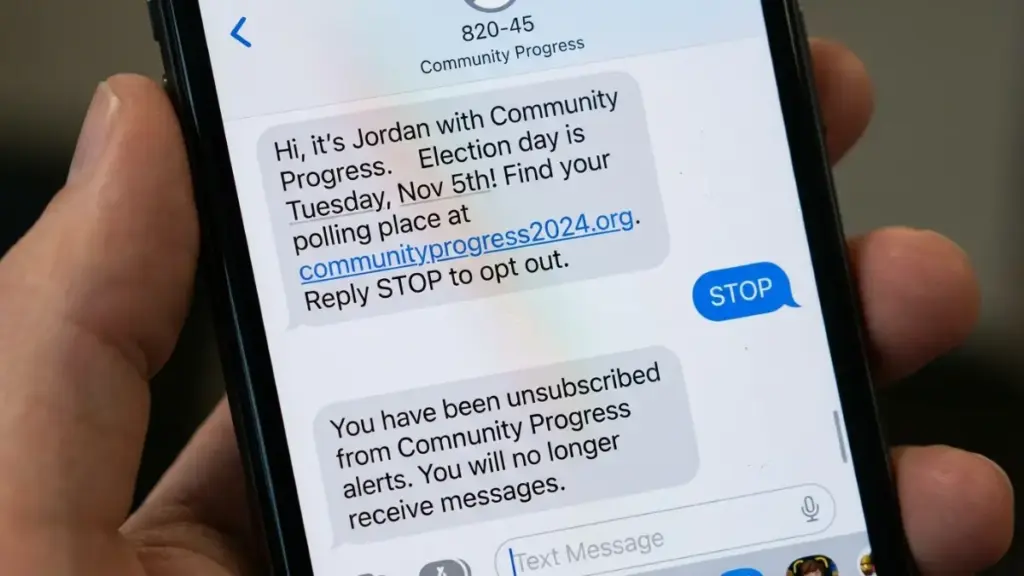
This sounds too simple, but it works. Under FCC rules, you can take back your consent at any time and in any reasonable way, and replying STOP is the standard way to do it. A legitimate campaign should stop all messages from that campaign, not just from the one number you replied to. You’ll usually get a short confirmation text back.
The catch: STOP only covers that one campaign or group. If ten different organizations have your number, you’ll need to reply ten times. Annoying, but each reply shrinks the pile for the rest of the season.
One exception: if a text looks shady (a weird link, spelling mistakes, pressure to act right now), don’t reply at all. Skip to Step 2. Replying to a scammer just confirms your number is active.
Step 2: Forward spam to 7726
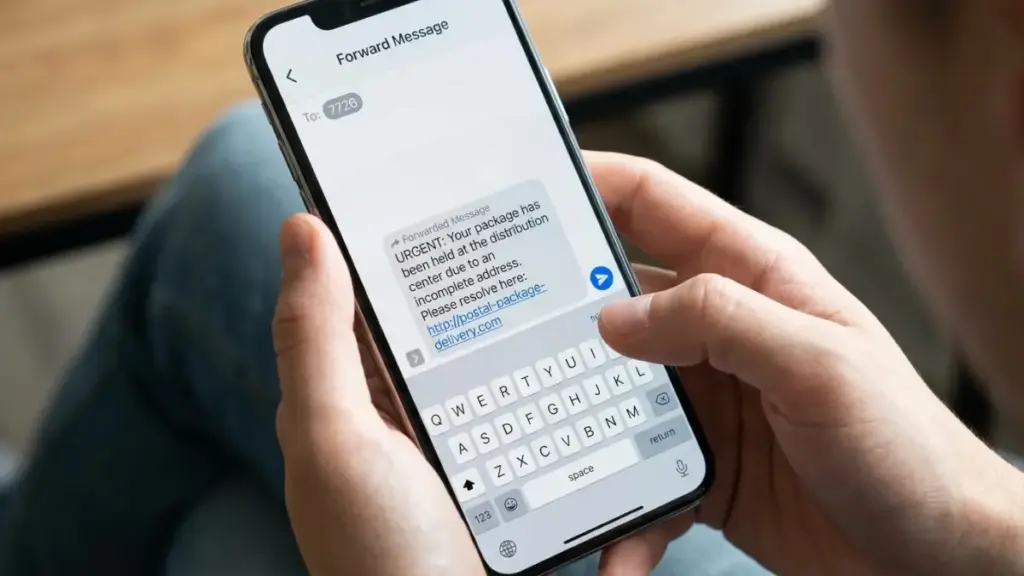
7726 spells “SPAM” on a phone keypad, and it’s a free reporting line run with the major carriers. Forward the suspicious text to 7726, and your carrier will usually ask for the number it came from. That report helps them track and block the sender for everyone.
Step 3: Turn on your phone’s built-in filters
Both iPhone and Android can quietly sort texts from numbers you don’t know into a separate list, so they stop lighting up your screen.
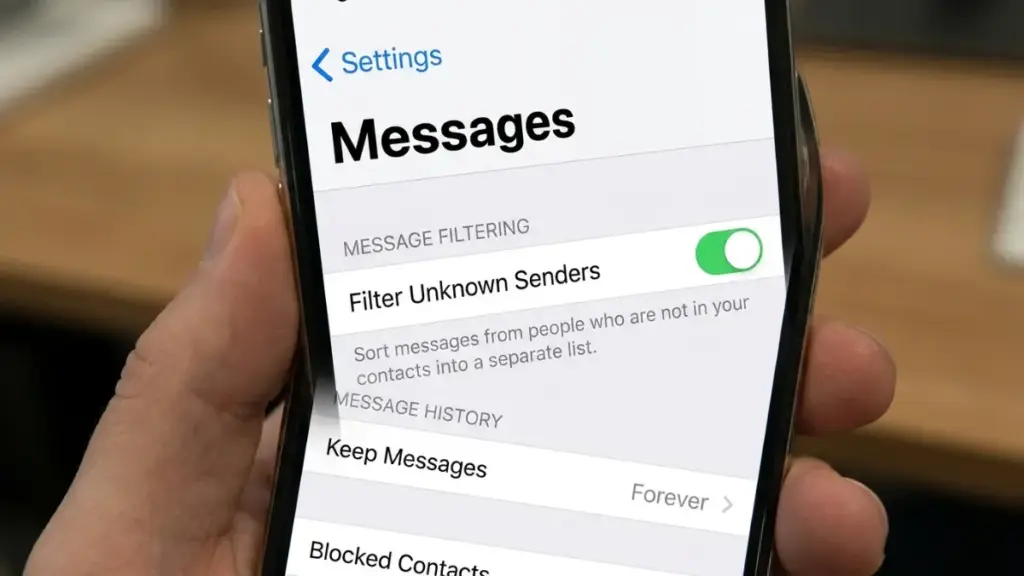
On iPhone: go to Settings → Apps → Messages (on older iOS versions, Settings → Messages) and look for the unknown senders option. Depending on your iOS version, it’s called “Screen Unknown Senders” or “Filter Unknown Senders.” Turn it on, and texts from numbers that aren’t in your contacts move to their own folder without notifications.
On Android (Google Messages): open Messages, tap your profile picture, then Messages settings → Spam protection, and make sure “Enable spam protection” is on. On Samsung phones using Samsung Messages, look under Settings → Block numbers and spam.
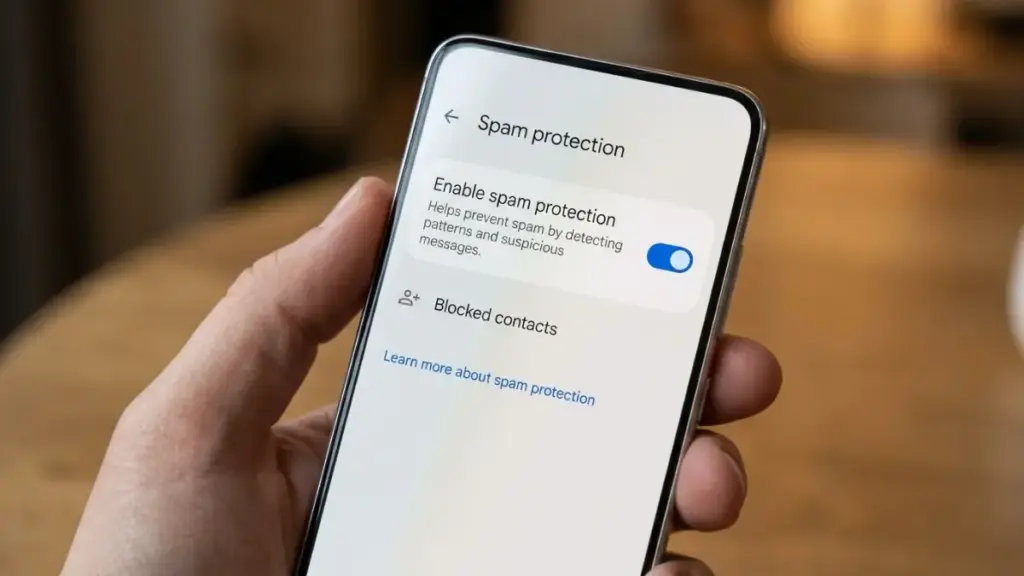
Heads up: filters don’t delete anything. Check the unknown senders folder now and then so you don’t miss a delivery update or a doctor’s appointment reminder.
Step 4: Block repeat offenders
If the same number keeps coming back, block it. On iPhone, tap the sender at the top of the conversation, then Info → Block Caller. On Android, long-press the conversation and tap Block. It won’t stop a campaign that rotates numbers, but it stops the worst repeat senders.
Step 5: Use your carrier’s free spam tools
All three major carriers offer free spam protection that works on top of your phone’s settings: Verizon Call Filter, AT&T ActiveArmor and T-Mobile Scam Shield. Download the app (or check that it’s turned on in your account) and enable spam filtering.
Bonus: voting early can quiet things down
Who voted is public record (how you voted is not). Some campaigns check that record and stop contacting people who have already cast a ballot. It won’t stop everything, but if you were planning to vote early anyway, it may mean fewer texts in the final week.
How to stop political robocalls
The same tools that stop political texts also work on calls, and the rules for robocalls are actually stricter.
Know what’s not allowed. Under FCC rules, campaigns need your prior permission before sending autodialed or prerecorded calls to your cell phone. The FCC also treats calls that use AI-generated voices as “artificial,” so a robocall with a cloned voice is illegal in many cases. Any prerecorded message has to say who is calling at the start and give a phone number. Landlines get less protection: campaigns can make prerecorded calls to a home landline without permission, but no more than three in any 30-day period.
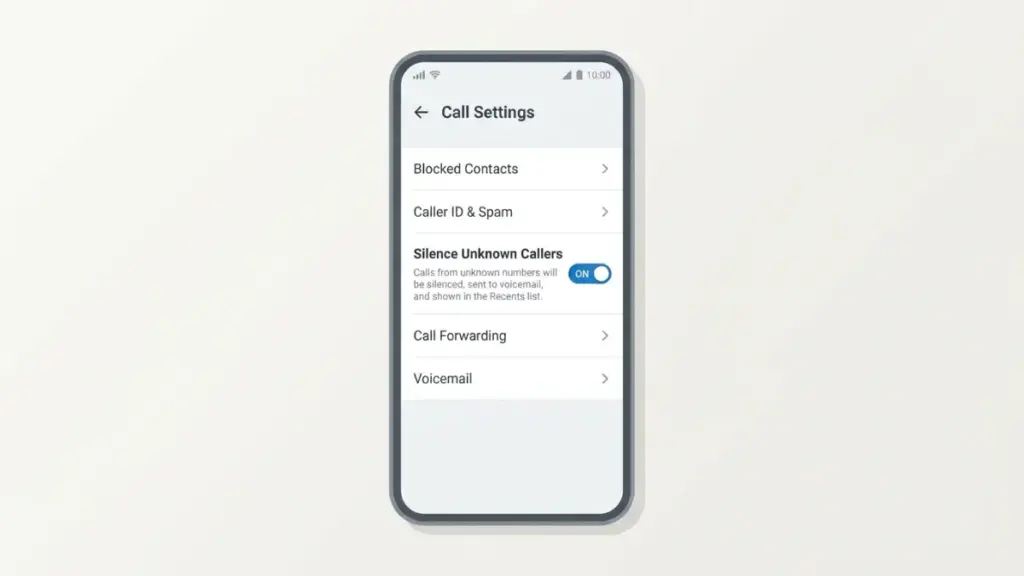
Silence unknown callers. On iPhone, go to Settings → Apps → Phone → Silence Unknown Callers. Calls from numbers you don’t know go straight to voicemail, and you’ll still see them in your recent calls. On Android, open the Phone app → Settings → Caller ID & spam, and turn on “Filter spam calls.”
Say “remove me” when a live person calls. If you pick up and a real volunteer is on the line, ask them to take your number off their list. You’re allowed to revoke consent in any reasonable way, and that counts.
Report the ones that break the rules. If you get a prerecorded campaign call on your cell phone that you never agreed to, file a free complaint with the FCC at fcc.gov/complaints or call 1-888-CALL-FCC (1-888-225-5322). Write down the number, the date and time, and what the message said.
How to stop political texts for good: get your number off data broker lists

Everything above treats the symptoms. To actually stop political texts next time around, you have to deal with how they got your number in the first place.
Where campaigns find your number
There are two main sources:
- Voter registration records. State and local election offices keep these, they often include a phone number, and campaigns are allowed to use them.
- Data brokers. These are companies you’ve probably never heard of that collect and sell personal information: your phone number, address, shopping habits and more. Some campaigns buy profiles that combine voter lists with that kind of consumer data.
Your number also spreads every time you type it into an online petition, a survey, a sweepstakes or a donation form, and those lists get shared and sold.
Step 1: Check what’s on your voter registration
In many states, the phone number on a voter registration form is optional. Contact your state or county election office and ask whether you can update your registration without a phone number. It won’t pull your number out of lists that were already shared, but it keeps it out of future ones.
Step 2: Opt out of the biggest people-search sites
People-search sites are the most visible kind of data broker. Search your own name on the big ones (Whitepages, Spokeo, BeenVerified, Intelius, TruePeopleSearch and FastPeopleSearch are good places to start). Each has its own opt-out page, usually linked at the bottom of the site as “Do Not Sell” or “Opt Out.” It’s tedious, and some listings come back after a few months, so set a calendar reminder to check again.
Step 3: Live in California? Use DROP
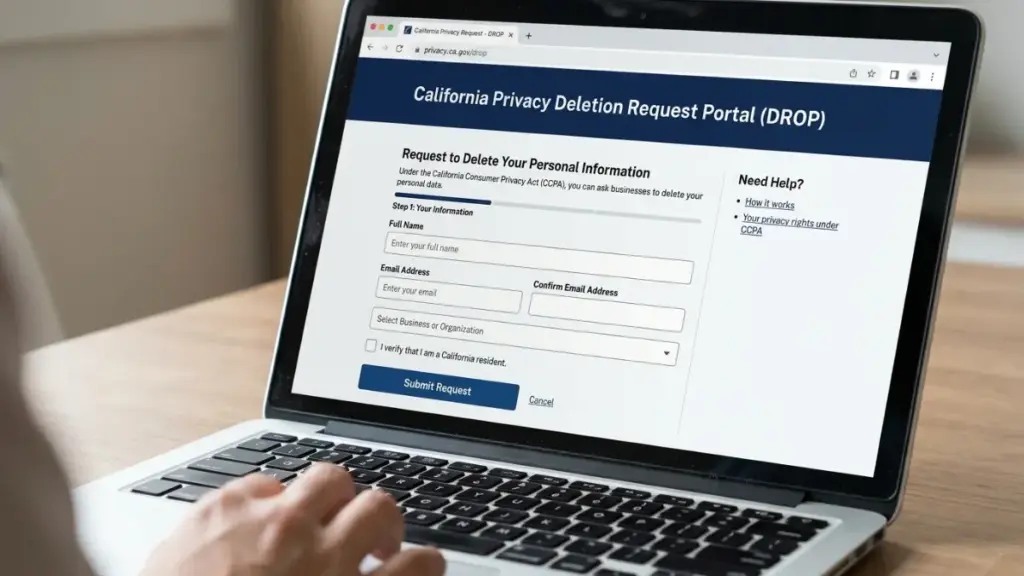
California launched a free tool called DROP (Delete Request and Opt-out Platform) on January 1, 2026. With one request, which takes under 10 minutes, California residents can ask more than 600 registered data brokers to delete their personal information and stop selling it. Since August 1, 2026, brokers have been required to process those requests. You can sign up at privacy.ca.gov/drop.
If you live somewhere else, check whether your state has a consumer privacy law. A growing number of states give residents the right to opt out of the sale of their personal data.
Step 4: Consider a paid removal service
If you don’t have time to do all of this by hand, services like DeleteMe, Incogni and Optery send opt-out requests to dozens of brokers for you and keep re-checking. They charge a yearly fee, so compare what each covers before you sign up.
Step 5: Use a second number for sign-ups
Get a free virtual number (Google Voice is the best-known option) and use it whenever a form asks for your phone: petitions, donations, store loyalty programs, contests. Your real number stays with the people who actually need it.
Watch out: not every “campaign” text is real
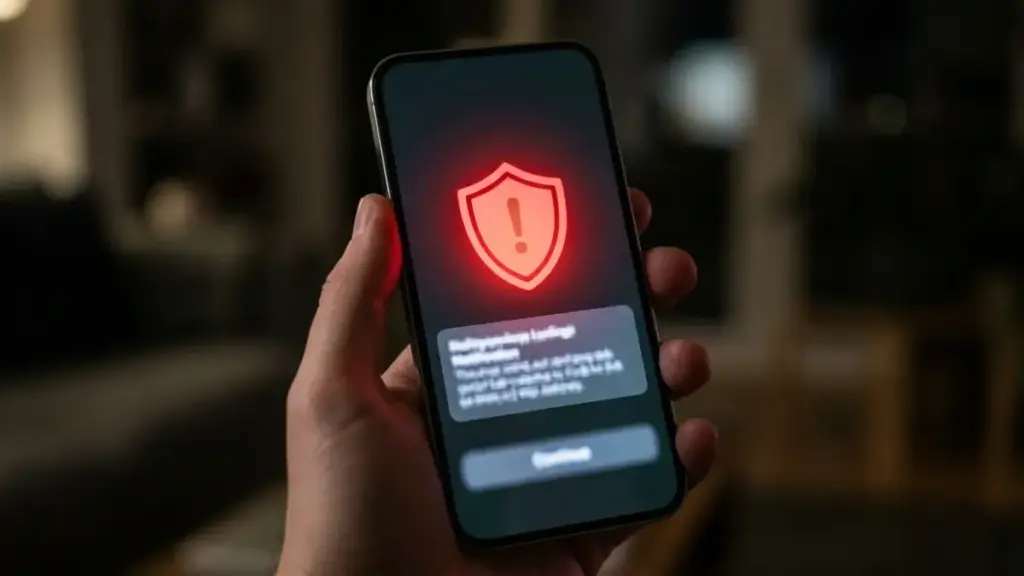
Election season is prime time for scammers, because they know your phone is already full of real campaign messages. A fake one blends right in. Watch for these red flags:
- Pressure to act right now: “Your donation must be received in the next hour” or “Your voter registration will be canceled.”
- Links you can’t verify, especially shortened links or web addresses that look slightly off.
- Requests for personal details like your Social Security number, bank information or a one-time code.
The safest habit: never donate or “confirm” anything through a link in a text. If you want to give money or check your registration, go to the official website yourself by typing the address in your browser. Forward anything suspicious to 7726 and delete it.
Read more: Don’t Get Ripped Off: The Dark Truth Of Five-Star Review Scams In Amazon On Line Shopping in 2026
FAQ
Why doesn’t the Do Not Call Registry stop political texts? Campaign calls and texts are exempt from the National Do Not Call Registry. Campaigns still have to follow FCC rules, like getting permission before sending autodialed texts or prerecorded calls to cell phones and honoring STOP requests.
Is it safe to reply STOP? Yes, for real campaign texts. A legitimate campaign has to honor it. If the text looks like a scam, don’t reply; forward it to 7726 instead.
Will the texts stop after Election Day? Most will slow down sharply after November 3, but your number stays on the lists. That’s why removing it from data brokers matters before the next election.
How did a campaign get my number if I never gave it to them? Usually from voter registration records or from data brokers who sell contact lists. Petitions, surveys and donation forms are other common sources.
Can I report a campaign that keeps texting after I replied STOP? Yes. File a free complaint with the FCC at fcc.gov/complaints or call 1-888-225-5322, and include the number, the dates and screenshots.
Take back your phone with The Couch Insider
You now know how to stop political texts, silence robocalls and keep your number off the lists for the next election. Share this guide with the friend whose phone hasn’t stopped buzzing all month. They’ll thank you.
At The Couch Insider, we cut through the noise with practical guides you can actually use, from tech fixes to what to watch tonight. Bookmark The Couch Insider and follow us so the next time your phone (or your weekend) needs fixing, you know where to look.