



In an era defined by continuous data exposure and targeted corporate breaches, digital identity protection has transformed from a personal convenience into an imperative operational discipline. Selecting an enterprise-grade password management architecture forms the frontline defense against credential stuffing, phishing campaigns, and unauthorized system access. Among open-source credential repositories, bitwarden password manager has emerged as a premier framework for both personal and enterprise secrets protection due to its transparent code repository, peer-reviewed cryptographic primitives, and deployment flexibility.
- Cryptographic Foundations of Bitwarden Password Manager
- The Illusion of Superior Security in Self-Hosted Vaults
- Critical Risk Factors When Managing Personal Bitwarden Servers
- Technical Configuration Requirements for Self-Hosting
- Advanced Threat Vectors and Mitigations in Self-Hosted Vaults
- When Does Self-Hosting Bitwarden Password Manager Make Sense?
- Official Cloud Infrastructure vs Self-Hosted Comparison
- Strategic Recommendations for Optimal Vault Protection
A persistent debate within systems administration and cybersecurity engineering centers on database topology: does hosting your credentials on a private, self-managed server yield superior protection compared to utilizing the platform’s official cloud infrastructure? The assumption that local isolation inherently guarantees absolute immunity frequently overlooks the heavy operational burdens associated with infrastructure hardening, patch management, network ingress regulation, and offsite disaster recovery planning.
Understanding the balance between sovereign infrastructure control and systemic operational vulnerability requires a rigorous inspection of end-to-end encryption standards, threat modeling parameters, host-level security configurations, and long-term data integrity protocols. Evaluating these mechanics determines whether running a custom instance of bitwarden password manager mitigates threat vectors or inadvertently expands your overall attack surface.
Furthermore, credential security requires a deep analysis of operational threat models. While enterprise cloud platforms invest millions of dollars into continuous penetration testing, automated threat detection, and multi-tenant isolation, self-hosted environments rely entirely on the technical diligence of an individual system administrator. When evaluating bitwarden password manager, security engineers must look beyond high-level marketing claims and examine the underlying mathematical and structural realities that govern data protection across public and private networks.
Cryptographic Foundations of Bitwarden Password Manager
Evaluating vault security requires understanding that credential privacy relies primarily on client-side mathematics rather than server placement. The primary cryptographic engine driving bitwarden password manager operates identically regardless of whether the target database resides on official multi-tenant cloud clusters or a local server running inside a private network environment.
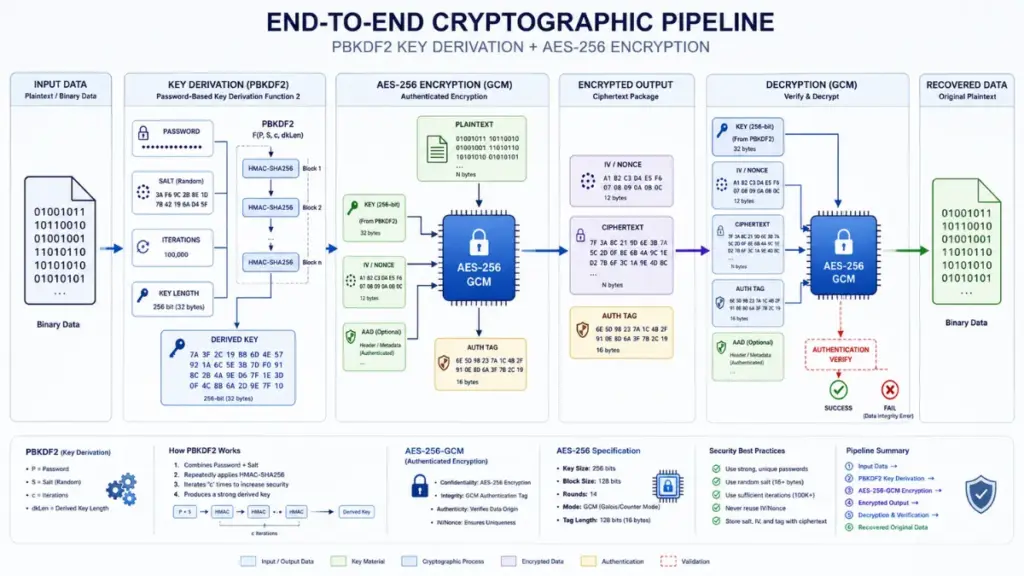
The core architecture operates under a strict Zero-Knowledge paradigm. When a user creates a primary vault account, the client application derives an encryption key locally using the user’s master password combined with a unique email salt. This process utilizes Password-Based Key Derivation Function 2 (PBKDF2) with SHA-256 or optionally Argon2id, executing thousands of computational iterations to render brute-force dictionary attacks computationally infeasible.
Zero-Knowledge Architecture and AES-256 Bit Encryption Standards
Client-side cryptographic operations ensure that raw vault contents—including usernames, passwords, secure notes, personal identities, and credit card details—are fully encrypted prior to transmission across network interfaces. The platform implements AES-CBC 256-bit encryption for vault data, alongside HMAC-SHA256 for integrity validation to prevent ciphertext tampering.
- Master key generation occurs exclusively on client hardware endpoints during account login sequences.
- Unencrypted vault keys never traverse local network sockets, wireless channels, or public internet gateways.
- Authentication hashes are generated independently from data encryption keys to ensure server authorization checks cannot expose vault contents.
Because data transformation occurs entirely on client devices (desktop clients, mobile applications, browser extensions, and command-line interfaces), the destination host server receives strictly blob ciphertext. Consequently, an adversary obtaining raw database access on either official cloud servers or a private self-hosted instance captures only mathematically intractable encrypted data blocks when targeting bitwarden password manager.
Readmore: Dangerous Memory Flaws That Vulnerable Password Manager Software Might Be Hiding
Symmetric and Asymmetric Key Management Mechanics
For organization-wide credential sharing, asymmetric cryptography via RSA-2048 bit keypairs is integrated into the client pipeline of bitwarden password manager. Each user account generates a public/private RSA keypair upon initial initialization. When sharing credentials within an organization vault, the item key is encrypted using the recipient’s public key, allowing secure key distribution without ever exposing unencrypted secrets to the central host.
“Cryptographic isolation guarantees data privacy at rest, but server environment security dictates operational availability and resistance against host-level exploitation.”
Luna
Understanding this cryptographic equality highlights a fundamental truth in credential security: choosing between cloud hosting and self-hosting with bitwarden password manager is rarely a choice about math. It is a strategic trade-off between managed cloud infrastructure resilience and local system administration expertise.
Furthermore, the implementation of client-side cryptographic functions ensures that data remaining in memory on local endpoints is constantly scrubbed upon session termination. When a user locks their application, the local decryption key is purged from system RAM, requiring a fresh master key derivation cycle for subsequent access. This mechanism guarantees that even if a host server is compromised, active client endpoints maintaining encrypted synchronization with bitwarden password manager retain strict boundary security.
The Illusion of Superior Security in Self-Hosted Vaults
A widespread assumption among privacy advocates holds that placing a database behind a home router or private firewall automatically guarantees immunity from cyber threats. However, cybersecurity telemetry demonstrates that self-hosted environments frequently introduce unique operational vulnerabilities that rarely exist in professionally managed cloud datacenters running bitwarden password manager.
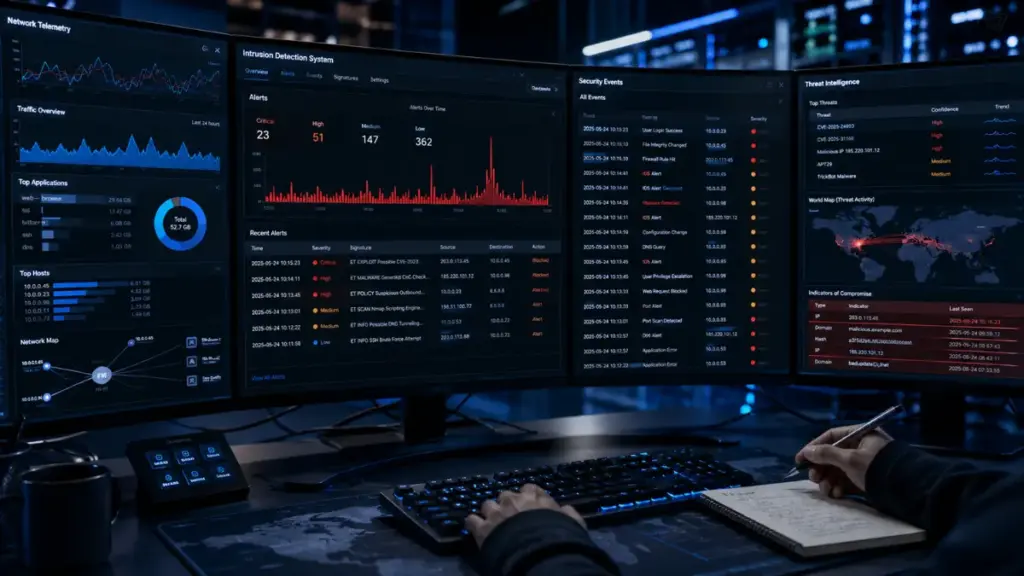
While hosting a private instance removes your database from large-scale multi-tenant cloud targets, it transfers 100% of the operational security workload onto the local system administrator. Maintaining absolute security requires continuous vigilance across multiple layers of the technology stack supporting bitwarden password manager.
Infrastructure Security vs Application Security Dynamics
Application security refers to the internal software code, encryption routines, and authorization logic of bitwarden password manager. Infrastructure security encompasses the underlying operating system, container runtime, hypervisor, physical hardware, power delivery, and network routing policies.
| Security Layer | Official Cloud Infrastructure | Self-Hosted Private Instance |
| Application Code | Bitwarden Development Engineers | Bitwarden Development Engineers |
| Patch Management | Automated Cloud DevOps Pipeline | Manual Local System Administrator |
| Network Edge / WAF | Enterprise Cloudflare Filter Array | Local Router / Reverse Proxy Setup |
| Host OS Hardening | Certified SecOps Team Monitoring | Local System Administrator |
| Physical Security | SOC 2 Type II Certified Datacenter | Private Residence or Local Office |
When utilizing official cloud infrastructure, certified SecOps teams handle operating system patching, DDoS mitigation, web application firewall (WAF) rule configuration, hardware lifecycle maintenance, and network intrusion detection. Conversely, deploying a private instance of bitwarden password manager means you assume full responsibility for configuring and updating every underlying dependency.
Common Misconfigurations and Operational Pitfalls in Self-Hosting
System log analyses across self-hosted deployments reveal recurring configuration mistakes that compromise system integrity far more frequently than cryptographic failures in bitwarden password manager:
- Exposing raw application ports directly to the public internet without passing traffic through a hardened reverse proxy layer.
- Neglecting host kernel and container platform updates, leaving hosting platforms susceptible to known remote code execution exploits.
- Utilizing self-signed TLS certificates or outdated cipher suites, opening management traffic to man-in-the-middle interception.
- Failing to restrict administrative portal access endpoints, leaving user provisioning portals susceptible to automated credential stuffing.
An improperly hardened self-hosted server transforms a secure password vault into a high-priority entry point for network lateral movement. If an attacker compromises the underlying host operating system through an unpatched vulnerability, they can deploy memory-scraping tools or keyloggers that capture master passwords during client authentication events directed at bitwarden password manager.
System administrators frequently underestimate the complexity of managing ingress security. While public cloud providers utilize dynamic threat intelligence feeds to automatically block malicious IP addresses and emerging attack signatures, private servers running bitwarden password manager often remain exposed to persistent automated port scanning tools. Without continuous monitoring and automated defensive orchestration, small configuration oversights can result in total host compromise.
Critical Risk Factors When Managing Personal Bitwarden Servers
Operating a local deployment of bitwarden password manager requires balancing security ambition against practical maintenance capabilities. System administrators must manage critical failure domains that can lead to catastrophic data loss or sudden operational lockouts.
Data Integrity and Disaster Recovery Challenge Strategies
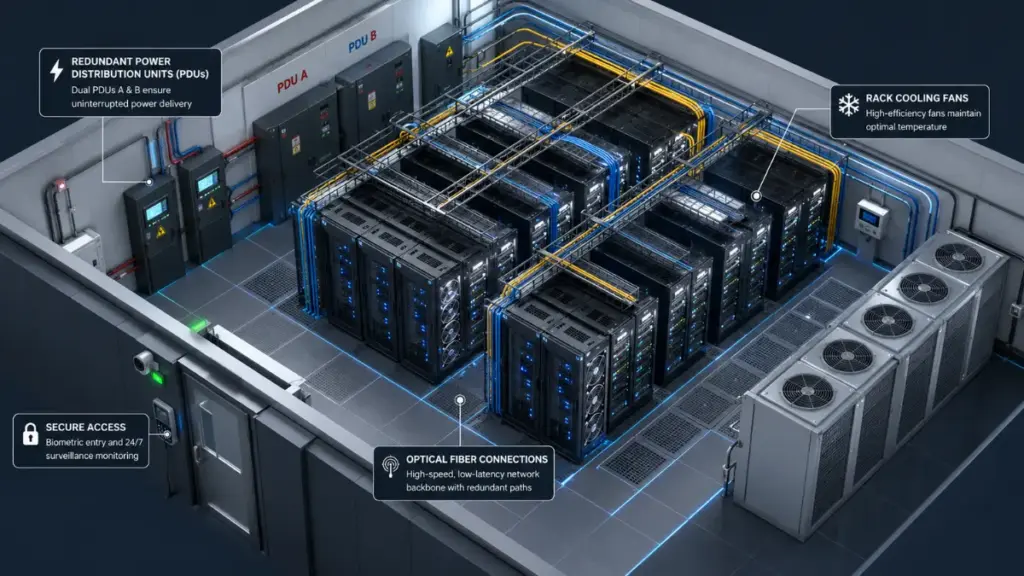
Data integrity represents one of the most significant failure points in home-lab and small-business self-hosting. Official cloud environments running bitwarden password manager utilize multi-region database replication, automated real-time snapshots, and geo-redundant storage arrays to guarantee high availability and point-in-time recovery.
In contrast, local deployments running on a single host, single drive, or basic storage array face substantial risk from hardware degradation:
- Solid-state drive bit rot and controller failures causing silent database corruption within the vault store.
- Database lock corruptions occurring during unexpected host power loss or operating system kernel panics.
- Loss of local backup files stored on the same physical volume or local network segment during targeted ransomware infections.
Establishing true disaster recovery for bitwarden password manager requires configuring automated, encrypted offsite backups. The backup pipeline must export database states to secondary physical locations or immutable cloud storage buckets, followed by regular recovery drills to verify data restore procedures.
High Availability and Uptime Management Overhead
A password manager must remain accessible 100% of the time. Losing access to your vault while traveling, during an emergency, or during critical business operations creates immediate productivity bottlenecks when accessing a bitwarden password manager.
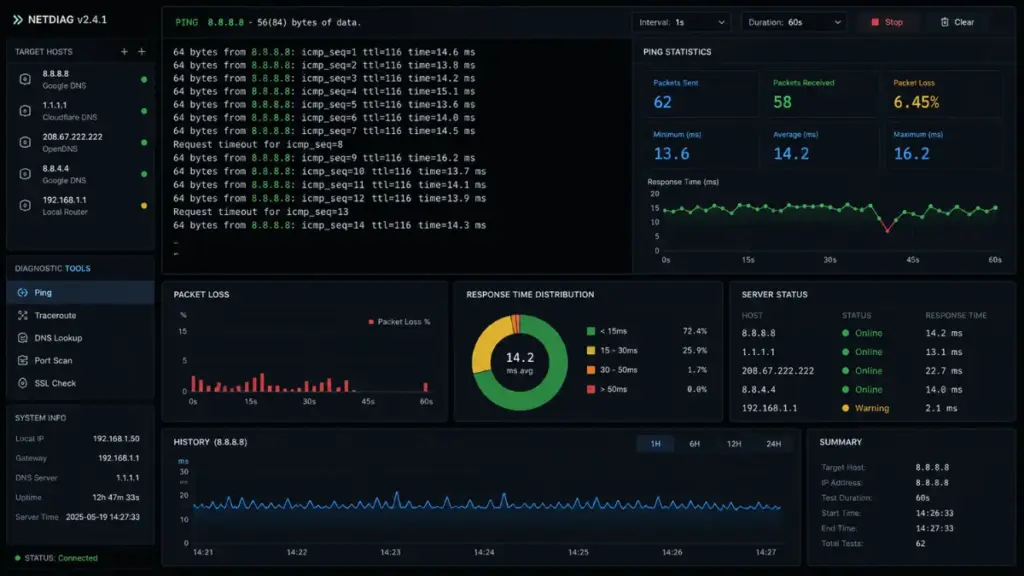
Maintaining continuous availability for a local instance requires solving multiple environmental dependencies:
- Dynamic IP Addresses: Residential internet connections periodically cycle public IP addresses, breaking domain DNS resolution unless dynamic DNS scripts update records continuously for bitwarden password manager.
- ISP Port Restrictions: Many residential internet service providers block inbound web traffic ports, forcing complex port forwarding schemes or encrypted tunnel setups.
- Power and Routing Outages: Local power grid interruptions or router hangs take the vault offline unless supported by uninterruptible power supplies and backup internet connections.
Readmore: Passkeys: 7 Dangerous Realities Big Tech Won’t Tell You Before You Switch
Without enterprise redundancy, maintaining a self-hosted instance of bitwarden password manager introduces operational overhead that can outweigh the perceived privacy advantages of local hosting.
In addition to physical outages, software updates present ongoing operational risks. Major version upgrades to container images or database engines can occasionally introduce breaking changes or database migration errors. When relying on official cloud services, software deployments undergo rigorous staging and automated rollback testing. When managing bitwarden password manager independently, the system administrator must perform manual verification to ensure update cycles do not render the vault database inaccessible.
Technical Configuration Requirements for Self-Hosting
For organizations and technical specialists who determine that self-hosting aligns with their threat model, constructing a resilient deployment requires adhering to industry-standard hardening practices for bitwarden password manager.
More Read


Architecture Implementation Options
Deploying bitwarden password manager on private hardware generally follows one of two implementation paths depending on available system resources and deployment goals:
- Official Application Architecture: The official containerized application stack provided by the core development team. It uses a full relational database engine, offering complete feature parity, enterprise directory synchronization, and direct commercial support. However, it requires substantial hardware resources and dedicated RAM allocation.
- Lightweight Alternative Implementations: Open-source, lightweight server implementations written in compiled languages like Rust. These offer compatibility with official desktop, mobile, and browser clients while operating with minimal resource overhead, making them suitable for lightweight virtual private servers or single-board hardware platforms running bitwarden password manager.
| Implementation Metrics | Official Application Stack | Lightweight Alternative Stack |
| System Memory Footprint | Requires 2 GB to 4 GB+ RAM | Operates efficiently under 100 MB RAM |
| Database Engines | MSSQL / PostgreSQL Backends | SQLite / MySQL / PostgreSQL |
| Directory Integration | Full Active Directory / LDAP Sync | Emulated Organization Features |
| Resource Allocation | Multi-Container Ecosystem | Single Binary or Streamlined Container |
| Target Deployment | Enterprise & Dedicated Servers | Resource-Constrained Environments |
Ingress Hardening and Reverse Proxy Setup
Exposing bitwarden password manager to network traffic without transport layer security is unsafe. Modern web browsers and mobile operating systems strictly enforce HTTPS connections for cryptographic API access, meaning unencrypted deployments will fail to synchronize.
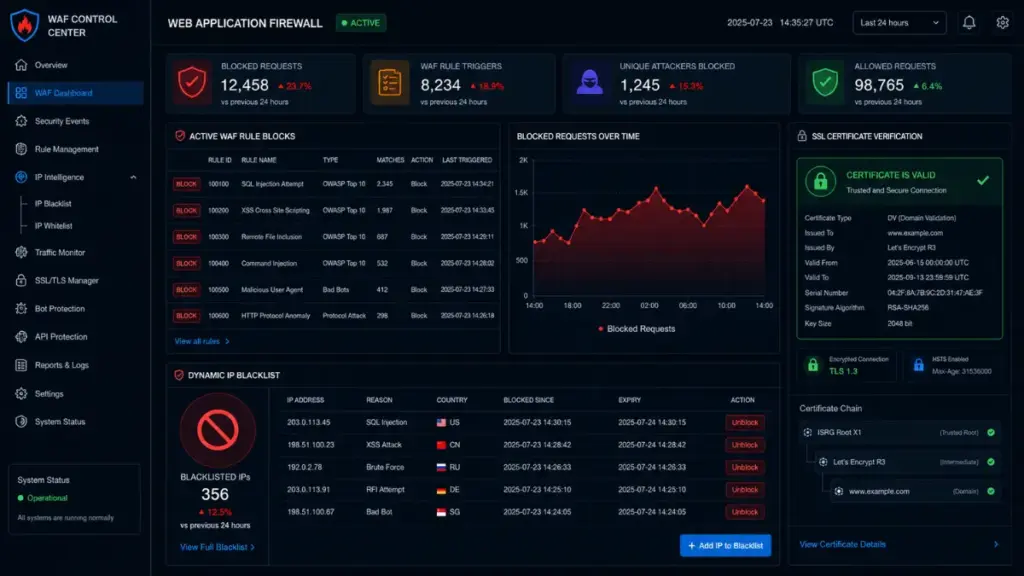
To secure network ingress, administrators should route traffic through a hardened reverse proxy layer. The reverse proxy provides critical security functions for bitwarden password manager:
- TLS Termination: Enforcing TLS 1.3 protocol standards with strong cipher suites while managing automated certificate renewals.
- Security Header Injection: Adding security response headers including HTTP Strict Transport Security, Content Security Policy, and frame protection options.
- Request Rate Limiting: Applying strict rate limits on authentication endpoints to prevent automated password spraying attacks against bitwarden password manager.
Integrating edge protection tools like encrypted network tunnels, private mesh networks, or dynamic IP blocking utilities further reduces exposure by keeping server ports hidden from public internet scanning tools.
Furthermore, implementing continuous log auditing is essential when hosting bitwarden password manager. System logs should be aggregated into a centralized logging service to detect repeated authorization failures, unusual access patterns, or unauthorized API access attempts. Establishing real-time alert notifications ensures that administrators can respond instantly to suspicious network activity before potential exploits succeed.
Advanced Threat Vectors and Mitigations in Self-Hosted Vaults
Understanding the security landscape of bitwarden password manager requires evaluating advanced threat vectors that specifically target self-hosted infrastructure. While zero-knowledge encryption protects vault contents against passive database leaks, active network attacks present distinct challenges for private deployments.
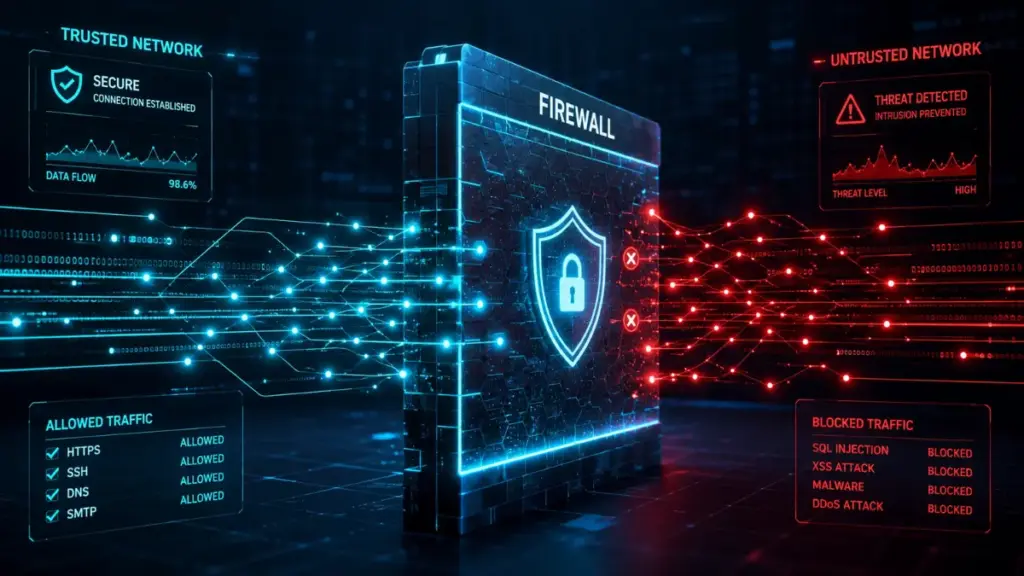
Among active threat vectors, domain hijacking and SSL certificate compromise pose significant risks to self-hosted instances of bitwarden password manager. If an attacker gains control of a self-hosted domain’s DNS records, they can redirect client synchronization traffic to a malicious proxy.
DNS Poisoning and Man-In-The-Middle Scenarios
If an adversary successfully tampers with local DNS resolution or intercepts unencrypted network traffic, they can execute man-in-the-middle attacks. While client applications for bitwarden password manager enforce certificate pinning and strict HTTPS compliance, compromised custom root certificates on local devices can allow malicious proxies to capture authentication requests.
- Implement DNSSEC (Domain Name System Security Extensions) on custom domain names pointing to bitwarden password manager.
- Enforce HTTP Strict Transport Security with preload flags to prevent protocol downgrade attacks.
- Utilize private certificate authorities with strict access controls when managing internal, non-public deployments of bitwarden password manager.
Server-Side Memory Scraping Attacks
Another critical vulnerability in private infrastructure is host-level physical or virtual memory extraction. If a host operating system running bitwarden password manager lacks full disk encryption or memory isolation, an attacker with physical access or root privileges can dump server RAM to search for residual operational keys.
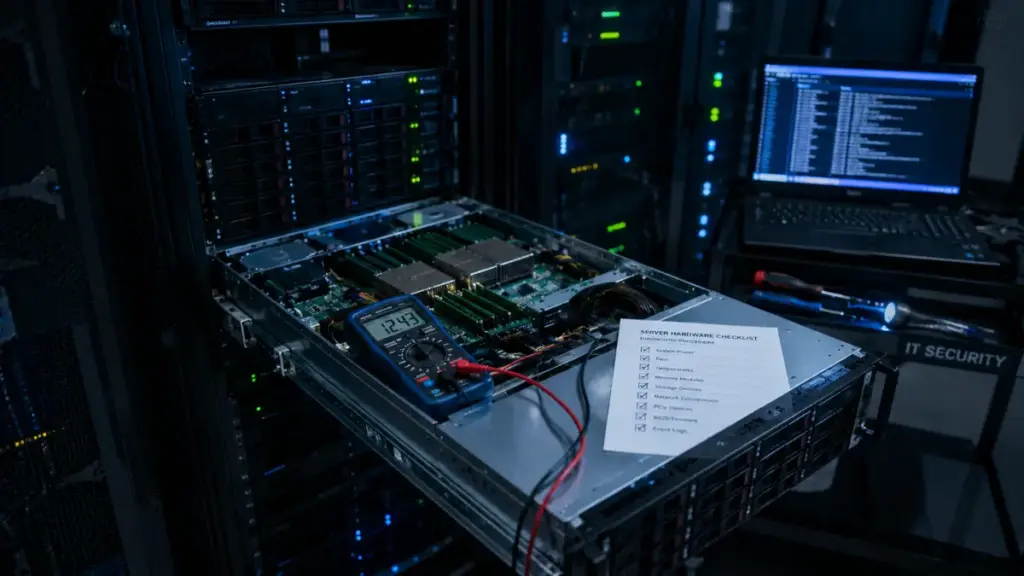
To mitigate host-level memory extraction risks, administrators deploying bitwarden password manager must implement hardened virtualization hypervisors, enforce full disk encryption (such as LUKS or BitLocker) across all host storage volumes, and disable unencrypted swap space on the underlying operating system.
When Does Self-Hosting Bitwarden Password Manager Make Sense?
While self-hosting introduces operational complexity, specific organizational requirements and technical threat models make private infrastructure the optimal operational choice for bitwarden password manager.

Evaluating whether to deploy a private instance of bitwarden password manager requires matching technical capabilities against regulatory and security requirements.
Regulatory Compliance and Strict Air-Gapped Environment Requirements
Enterprises operating within regulated industries—such as defense contracting, healthcare processing, financial clearinghouses, or government intelligence—often face strict compliance mandates regarding data residency and network topology when managing bitwarden password manager.
“True air-gapped operations demand absolute isolation from external public networks, making self-hosted local credential vaults a mandatory architectural requirement.”
Luna
- Air-Gapped Networks: Facilities isolated from public internet access must host local credential servers to provide password management across internal networks for bitwarden password manager.
- Data Sovereignty Regulations: Strict jurisdictional laws requiring sensitive credential data to remain entirely within specific physical facility boundaries.
- Granular Audit Logging: Requirements for immutable, long-term audit logging stored within private SIEM security platforms connected directly to bitwarden password manager.
In these operational contexts, the necessity of absolute physical and logical control outweighs the convenience and simplicity of managed cloud hosting.
Evaluating Technical Competency and Maintenance Commitments
For personal users and small teams, deciding to host bitwarden password manager privately should depend on an honest assessment of system administration experience.
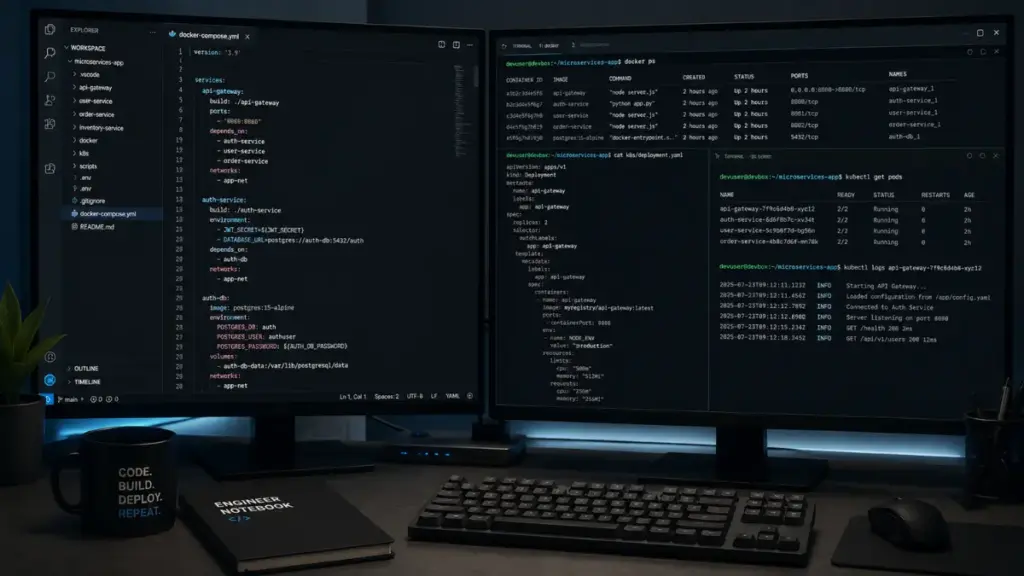
Self-hosting is well suited for:
- Experienced Systems Engineers: Professionals proficient in Linux administration, container orchestration, network routing, firewall rules, and automated backup strategies for bitwarden password manager.
- Dedicated Homelab Enthusiasts: Users who maintain monitoring platforms and actively track infrastructure security advisories affecting bitwarden password manager.
- Organizations with Dedicated SecOps Staff: Companies with paid technical personnel available to manage patches, monitor uptime, and maintain disaster recovery procedures for bitwarden password manager.
If an administrator lacks the time or expertise to manage continuous host security, utilizing the official cloud service offered by bitwarden password manager provides a significantly more secure baseline.
Official Cloud Infrastructure vs Self-Hosted Comparison
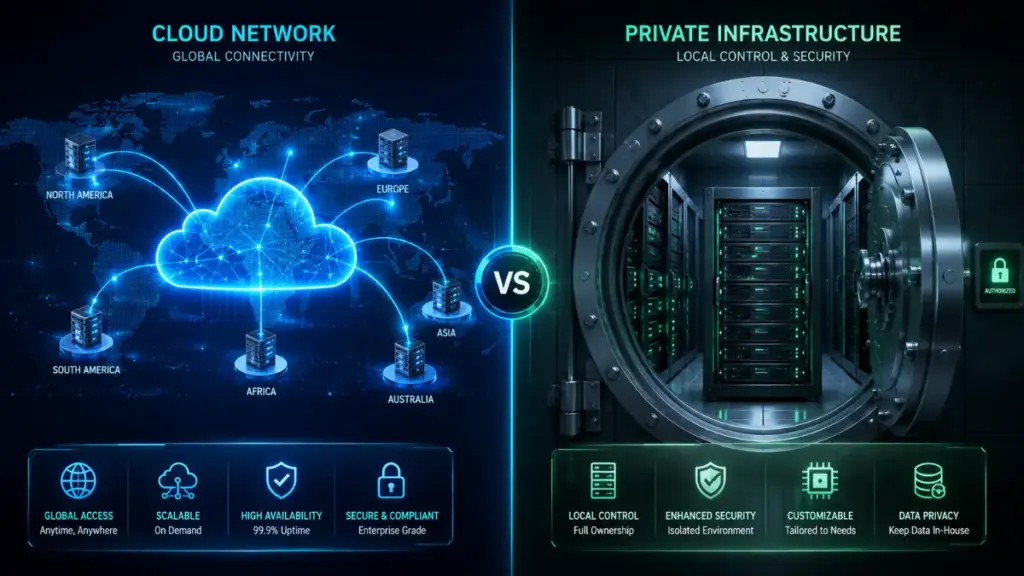
To assist in selecting the correct deployment model, the following matrix compares the operational trade-offs between official cloud hosting and a self-hosted instance of bitwarden password manager.
| Operational Parameter | Official Managed Cloud | Self-Hosted Private Server |
| Data Encryption Method | Client-Side AES-256 Bit | Client-Side AES-256 Bit |
| System Administration | Managed by Professional SecOps | Managed by Local Administrator |
| Patch Management | Automated Cloud Pipeline | Manual Container & Host Updates |
| DDoS & Ingress Protection | Enterprise Edge Protection Array | Local Firewall & Proxy Configuration |
| High Availability | Multi-Region Redundant Clusters | Dependent on Local Power & ISP |
| Disaster Recovery | Automated Geo-Redundant Backups | Manual Offsite Backup Scripts |
| Upfront Cost | Low Subscription Cost | Hardware, Storage, & Power Costs |
| Air-Gap Capability | Not Supported | Fully Supported |
Analyzing this structural breakdown demonstrates that while client-side cryptographic guarantees remain equal across both options, physical reliability, uptime management, and operational security depend heavily on host infrastructure maintenance when running bitwarden password manager.
Strategic Recommendations for Optimal Vault Protection
Whether you choose official cloud storage or deploy a private instance of bitwarden password manager, enforcing strong account security controls is essential to safeguard your credential vault against unauthorized access.
Implementing robust defensive security measures prevents account compromise regardless of where your database is stored:
- Enforce a Strong Master Password: Construct a long, random passphrase using a combination of words, numbers, and symbols. Your master password is the single decryption key for your entire vault inside bitwarden password manager; it cannot be reset if lost.
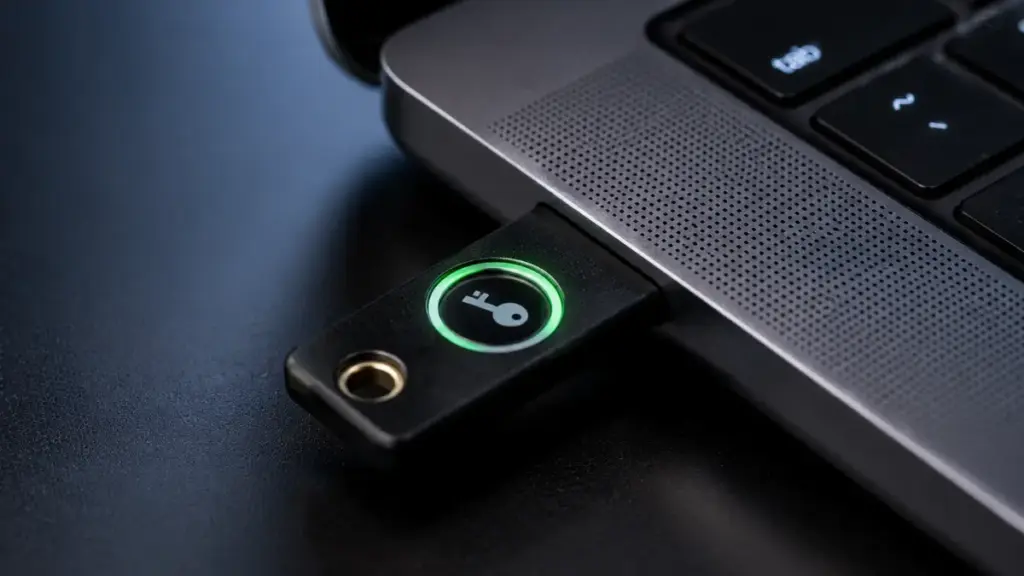
- Mandate Hardware Multi-Factor Authentication: Require hardware security keys for account authentication. Hardware keys provide robust protection against credential harvesting and phishing attacks targeting bitwarden password manager.
- Store Emergency Access Keys Offsite: Print your master key recovery code during account setup and store it in a physically secure location, such as a fireproof safe or safety deposit box.
- Configure Account Inactivity Timers: Set client applications to lock automatically after brief periods of inactivity to prevent unauthorized access on unattended local devices accessing bitwarden password manager.
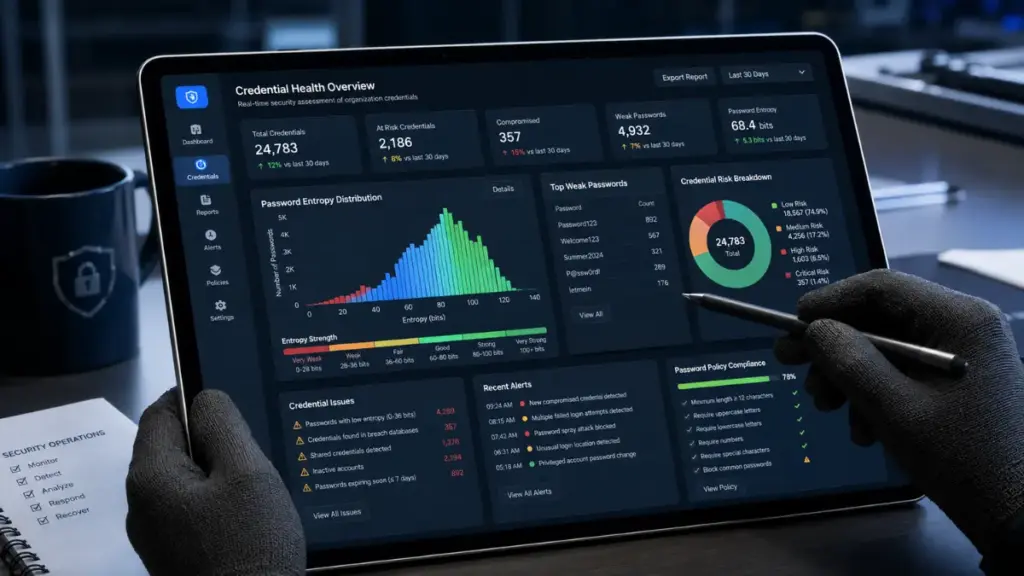
- Audit Vault Credentials Regularly: Use built-in vault health reports to identify exposed, weak, or reused passwords across external services, updating compromised accounts systematically inside bitwarden password manager.
Ultimately, for approximately 95% of individual users and business organizations, relying on official cloud hosting for bitwarden password manager delivers superior real-world security. It eliminates the risk of hardware loss, power interruptions, and unpatched host vulnerabilities while preserving full zero-knowledge encryption guarantees. Self-hosting remains a powerful deployment model, but its security advantages depend on maintaining professional-grade infrastructure, strict access controls, and reliable disaster recovery systems over the long term for bitwarden password manager.
Please leave a comment below to receive free expert consultation or follow our website The Couch Insider to update the latest knowledge.