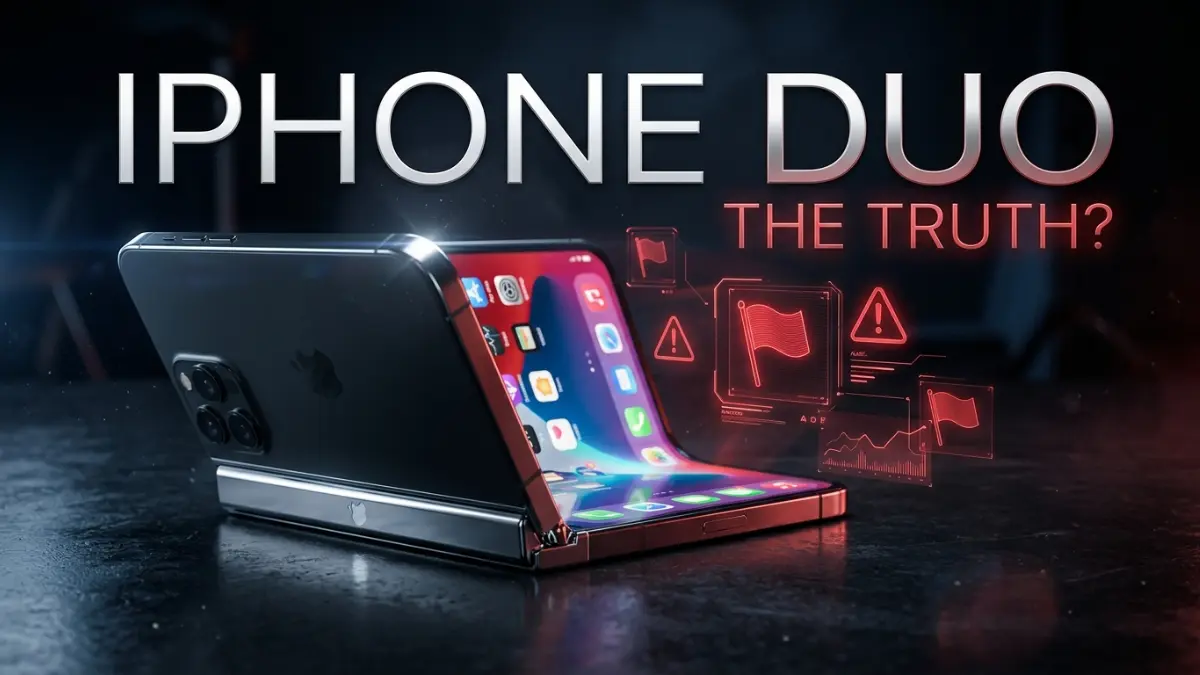

Before you join the frenzy and pre-order Apple’s newly launched iPhone Duo, there is a reality check you desperately need to read. While headline figures highlight record-breaking demand, the actual software experience at launch is proving to be a major head-splitter. With developers openly admitting they weren’t given enough time to prepare, buyers are heading straight into a world of unoptimized apps, awkward display scaling, letterboxing, and shipping delays stretching into next year. Here are the biggest red flags and concerning experiences you should carefully weigh if you’re considering buying the iPhone Duo today.
- 1. Ordered One Hour Late? See You in 2027: The Truth About Pre-Orders and 4 Ways to Get One Earlier
- 2. “Apps Will Look Ugly for a Long Time”: A Blunt Warning from a Major App Developer
- 3. The Unexpected Silver Lining: How the iPhone Duo Unintentionally Helps Galaxy Z Fold and iPad Users
- 4. Diagnosing the “Black Bars”: The Technical Reality Behind those Ugly Screen Borders
- 5. Real-World App Testing: How Will TikTok, Safari, and Email Actually Look?
- 6. Cover Screen Reality Check: Is It Truly Useful or Just a Notification Checker?
- The Verdict
1. Ordered One Hour Late? See You in 2027: The Truth About Pre-Orders and 4 Ways to Get One Earlier

Over the past few days, tech news outlets have been broadcasting alarmist headlines: “Apple iPhone Duo Shipping Estimates Slip to 2027”. Reading that snippet in isolation makes it sound as though no consumer will get their hands on a folding iPhone for well over a year. The underlying truth behind Apple’s delivery estimates, however, tells a slightly more nuanced story.
In reality, fast-acting buyers who placed their orders within the first few minutes of pre-orders opening—such as one buyer securing a 256GB Night Sky model right at 8:00 AM ET—received very reasonable delivery dates: mid-November to December 2026. Others ordering through family or friends were also quoted dates safely before the holiday season.
The bottleneck hit around 25 minutes into the pre-order window. Apple’s Store app began crashing, freezing, and wiping pre-saved ‘get ready’ configurations. Within 4 to 5 hours, every storage tier (256GB, 512GB, 1TB, 2TB) across both Star White and Night Sky colorways sold out of initial production stock, automatically pushing new order estimates to January 2027.
If you missed the first wave but refuse to wait until next year, community members are sharing four practical workarounds:
- Switch Carrier Channels: Multiple buyers reported that while Apple’s direct store showed 2027 dates, switching from AT&T to T-Mobile allowed them to secure a 1TB Night Sky model with a November 1, 2026 delivery date. Retailers like Best Buy, Verizon, Red Pocket, and Xfinity also maintain separate inventory pools.
- Watch for Cancelled Order Restocks: Apple representatives indicated that systems will audit orders next week, cancelling duplicate, fraudulent, or failed-payment orders. Shipping estimates for existing backorders will likely auto-adjust forward.
- Camp Out at an Apple Store: Physical retail locations hold dedicated stock for walk-in customers on launch day, separate from online pre-order pools. You just need the stamina to line up a day in advance.
- Pay the Scalper Tax on eBay: Scalpers are already listing confirmed launch-day delivery slots on eBay, though expect to pay a hefty markup of around £400 ($500 USD) over retail.
2. “Apps Will Look Ugly for a Long Time”: A Blunt Warning from a Major App Developer
While shipping delays are merely a patience test, software compatibility is the true Achilles’ heel of the iPhone Duo. A senior software engineer working on a major consumer app used by millions posted a candid warning online:
“As someone working on a major consumer app, we had to put in a ton of effort to prepare our app for Duo. Everyone should prepare themselves for apps looking ugly at launch and for a long time after.”
Why is designing for the iPhone Duo such a headache compared to traditional flat iPhones? It isn’t just about scaling up screen resolution; it’s the sheer mathematical complexity of handling dynamic geometric state transitions:
Challenge 1: Supporting At Least 3 Distinct Display States Simultaneously
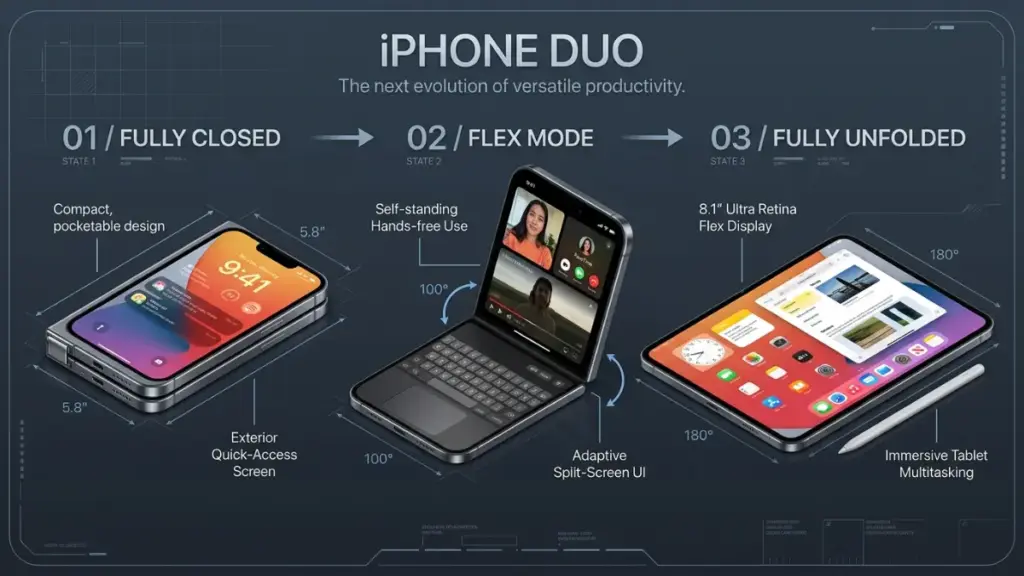
Developers can no longer build a static layout. Navigation bars, notification pop-ups, functional buttons, and banners must automatically recalculate coordinates and morph smoothly across three physical device states: fully folded (Closed), fully unfolded (Mini-tablet), and partially folded (Flex mode).
Challenge 2: Handling “In-Flight” User Tasks
Consider a common everyday scenario: You are actively typing a message or scrolling a thread on the outer screen, and you decide to unfold the phone for a bigger view. How does the app prevent your active chat window or keyboard from stuttering, jumping unexpectedly (abrupt shifting), or losing your scroll position entirely? Engineering that seamless transition without breaking user workflow is a major technical hurdle.
Challenge 3: Responsive Grid Shifts (The Pinterest Dilemma)
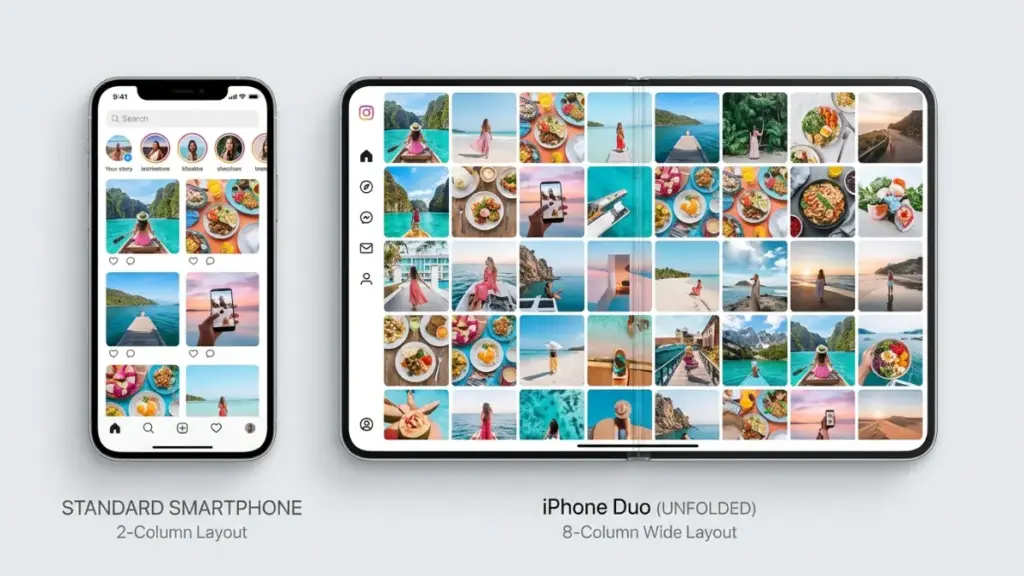
To understand this visually, look at an app like Pinterest. When closed, the app renders a 2-column grid. The moment you unfold the phone, the layout must instantly re-render into an 8-column grid to fill the canvas naturally. Apple makes this look effortless in native apps because they’ve spent years refining iPadOS layout APIs, whereas third-party development teams are struggling to catch up.
Challenge 4: “Above the Fold” Compression vs. “Awkward Extra Width”
- When Folded: The physical aspect ratio of the Duo makes it wider and shorter than a standard iPhone. This compresses the “above the fold” vertical real estate—the immediate area users see without scrolling—forcing designers to completely reposition critical action buttons and conversion elements.
- When Unfolded: The screen transforms into a mini-tablet. The immediate problem becomes: What do you do with all this excess horizontal width? Simply stretching an iPhone UI looks amateurish, leaving smaller development teams without dedicated UI/UX staff completely overwhelmed.
To make matters worse, Apple provided the official SDK and build tools for the Duo form factor very late. Everything had to be rushed on an extremely tight deadline. Unless a company had insider connections at Apple for an early preview, most everyday apps were left scrambling in the dark.
3. The Unexpected Silver Lining: How the iPhone Duo Unintentionally Helps Galaxy Z Fold and iPad Users
Despite the immediate developer headaches, this massive redesign effort is triggering two major positive side-effects across the broader tech landscape:
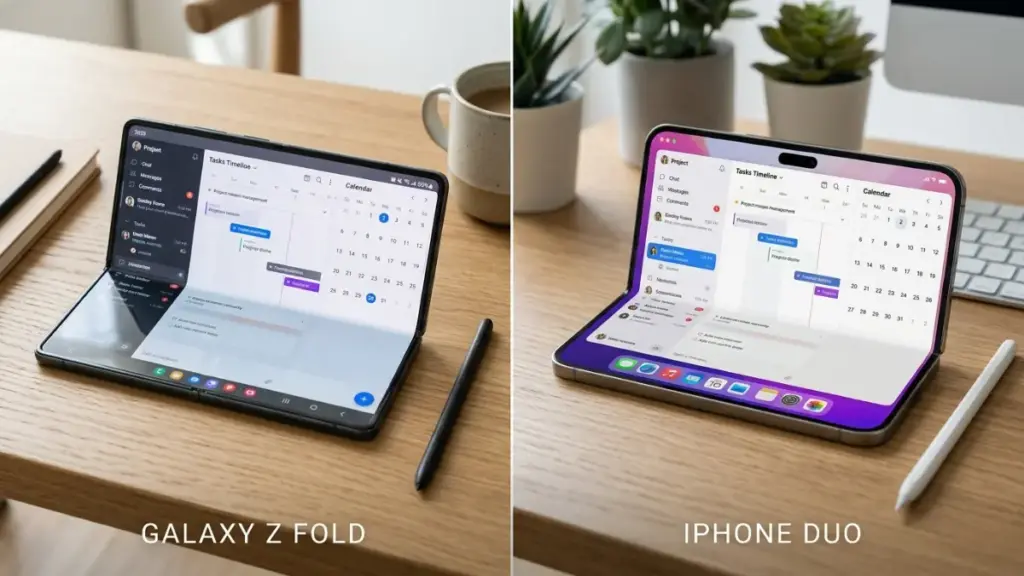
- Better App Parity for Android Foldables (Galaxy Z Fold): When asked if all this effort for Apple’s foldable would carry over to Android, developers confirmed that it will. While iOS and Android codebases differ, the underlying architectural work required to build a great mini-tablet experience applies to both ecosystems. As developers optimize for the Duo, users on foldable Android devices like the Galaxy Z Fold will reap the benefits of better, more responsive app layouts.
- A Long-Overdue Revamp for iPadOS Apps: Third-party app experiences on iPads have historically been neglected because machine volume and revenue from tablets didn’t justify the development cost. The launch of the iPhone Duo has forced companies to fix their responsive layout implementations. As a direct result, apps are finally adhering to modern layout best practices, making them significantly more stable, predictable, and clean across various iPad window sizes.
4. Diagnosing the “Black Bars”: The Technical Reality Behind those Ugly Screen Borders
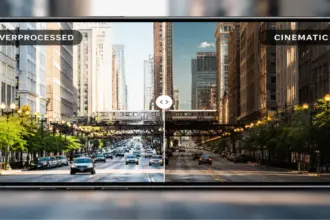
If you look at early real-world photos of the iPhone Duo, the most glaring visual flaw is the presence of thick black borders (letterboxing/pillarboxing) surrounding non-optimized apps. Users have been vocal about their frustration, calling these black bars a waste of precious screen space.

Why can web developers solve responsive layouts easily with media queries and flexible pixel sizes, while multi-million dollar mobile apps get stuck with black borders?
Read more: Apple Health Is No Longer Just a Tracker: Inside the On-Demand Blood Work Revolution
The answer lies in legacy mobile developer habits and Apple’s strict rendering safety checks:
- Hard-Coded Layouts: Despite Apple encouraging resizable layouts for years, many developers hard-coded fixed pixel dimensions optimized strictly for standard rectangular iPhones.
- SDK Version Behavior Breakdown:
- Apps built on pre-iOS 27 SDKs: The OS runs the app in forced compatibility mode. When unfolded, the app is encased in thick black borders on all sides, stuck right in the center of the screen.
- Apps built on iOS 27 SDK: The surround-bars disappear, leaving black bars only on the left and right sides alongside vertical system controls.
- Apps built on iOS 27.1 SDK: Black bars are completely eliminated. Developers don’t even need to rewrite code to remove the bars—simply re-compiling the app binary using the iOS 27.1 SDK allows the UI to fill the entire display natively (though fine-tuning element positions still requires manual work).
5. Real-World App Testing: How Will TikTok, Safari, and Email Actually Look?
Community discussions have been dissecting how popular everyday apps will actually perform on this unique dual-aspect screen:
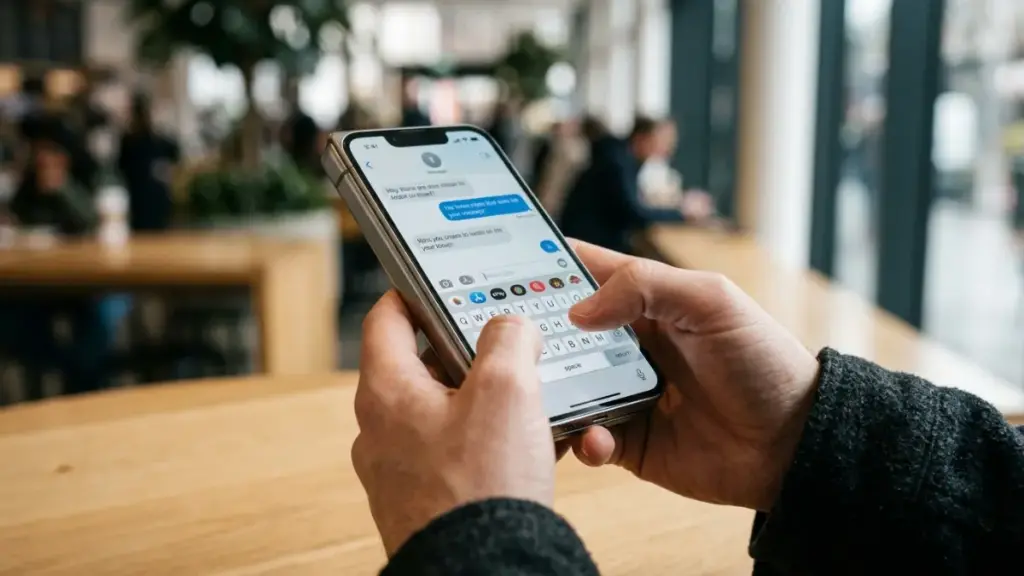
- TikTok’s Awkward Transition: For short-form vertical video platforms like TikTok, until a dedicated foldable interface is released, system controls and interaction buttons will remain pinned to the bottom of the screen rather than shifting gracefully to the side.
- The “Size Illusion” Caused by Top Banners: On shopping or news apps, a black notification banner at the top edge creates a visual trick: it makes the display appear smaller than it physically is. Users have suggested shifting bottom navigation bars to the right side of the screen when unfolded to reclaim vertical reading area.
- Safari vs. Email/Reddit Experience:
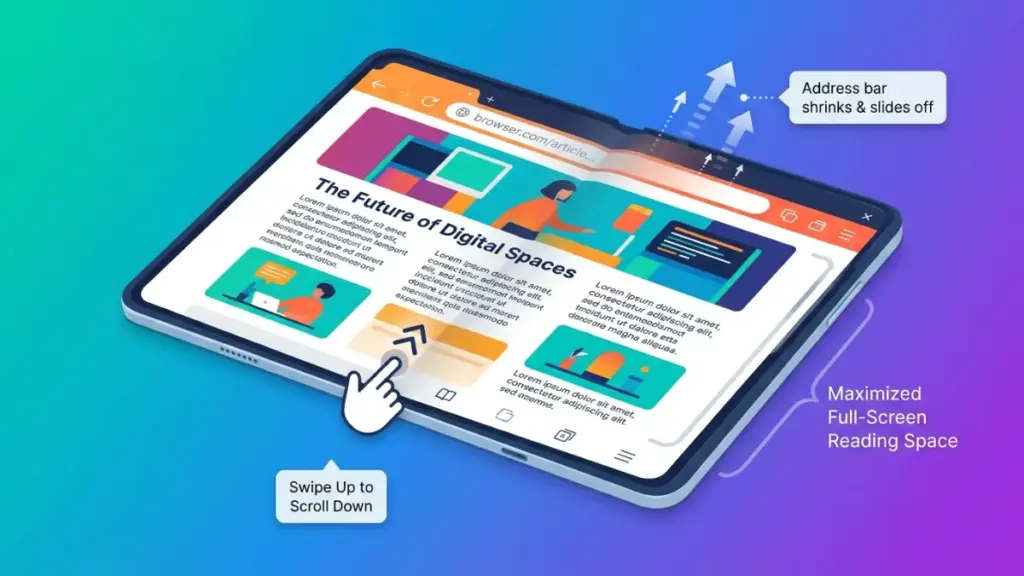
- Safari Web Browsing: Thanks to iOS glass-screen rendering, scrolling down a webpage automatically collapses or pushes the address bar out of view, opening up the entire screen for reading.
- Email and Social Apps: Because users naturally focus on the middle of the screen, heavy bottom navigation bars on a wide, short screen get in the way. If a app pins buttons along the side overlaying content, text gets cut off, preventing users from reading the end of sentences.
6. Cover Screen Reality Check: Is It Truly Useful or Just a Notification Checker?
A major debate centers around the practical utility of the outer display when the Duo is folded shut.
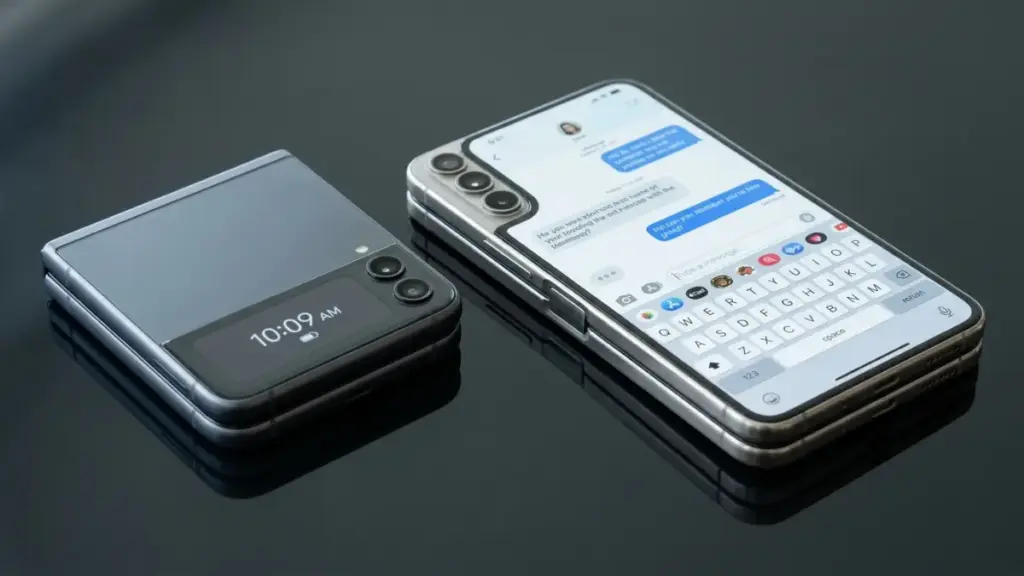
When compared to clamshell foldables like the Samsung Galaxy Z Flip, users point out a clear functional difference. Flip phone cover screens are relatively small—fine for checking quick notifications, but cramped for real interaction.
The iPhone Duo’s cover display, by contrast, offers a wider aspect ratio. The expectation is that users should be able to type out full text replies, check email, or handle quick tasks without needing to unfold the device every single time.
Even so, initial launch excitement is giving way to caution. Many enthusiasts report buying cheap protective cases from overseas suppliers just to test the physical dimensions in hand before committing. The overwhelming consensus among experienced buyers right now is simple: Be patient. Waiting a few months lets early adopters test hardware durability, gives developers time to update their apps to the iOS 27.1 SDK, and lets you avoid first-generation hardware hiccups altogether.
The Verdict
The Apple iPhone Duo is an impressive piece of hardware engineering, but at launch, its software ecosystem remains undeniably unpolished. Buying one on day one means accepting the trade-offs of a pioneer: dealing with black bars, unoptimized app layouts, and potential shipping delays into 2027.
If you thrive on being on the cutting edge of tech, the pre-order hunt is part of the fun. But if you want a polished, seamless daily driver, giving Apple and third-party developers 3 to 6 months to iron out the software experience is the smartest move you can make.