
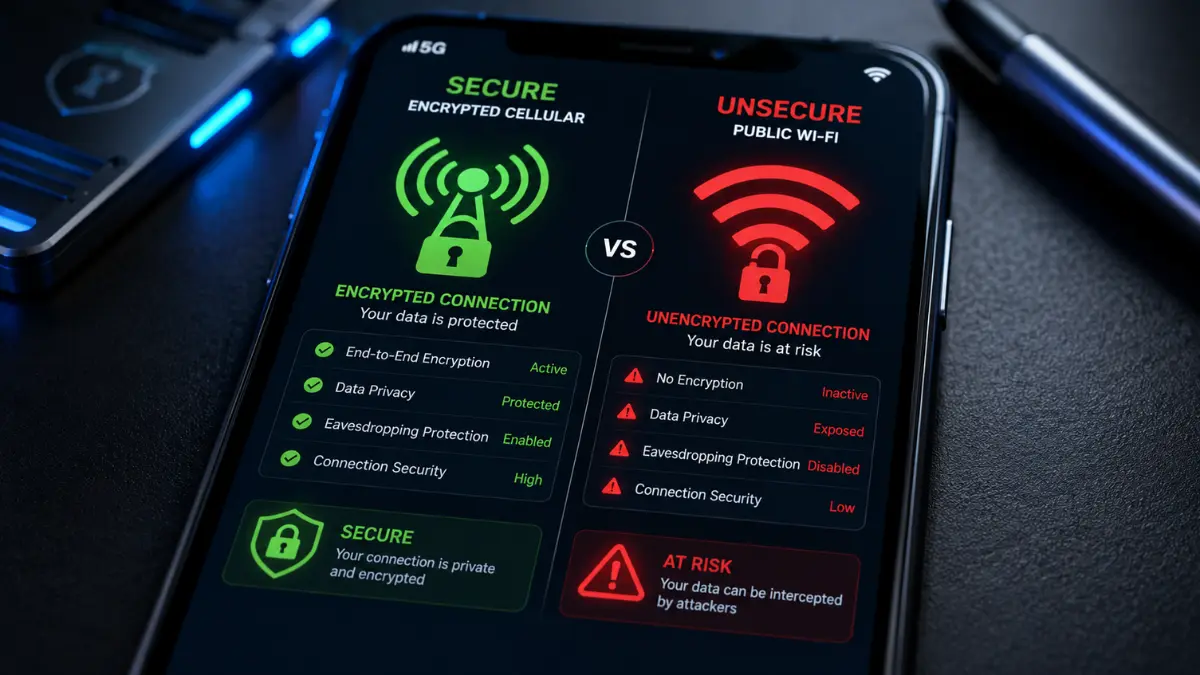

In an era of remote work and continuous digital connectivity, millions of users connect to free public Wi-Fi networks every single day at coffee shops, airports, hotels, and convention centers. While the convenience of free wireless internet appears attractive, relying on open public networks exposes your personal data, corporate credentials, and financial information to severe cybersecurity threats. The underlying architecture of public wireless access points lacks internal network isolation, allowing malicious actors sitting on the same network to intercept unencrypted traffic effortless. Switching to personal mobile hotspots represents the single most effective security upgrade you can make to guarantee data integrity while traveling or working remotely.
Personal mobile hotspots leverage cellular infrastructure protected by advanced carrier-grade encryption standards, completely bypassing the shared radio environments that hackers exploit. By creating an isolated personal area network, your smartphone or dedicated MiFi unit creates a private cryptographic barrier between your laptop and the internet. In this deep-dive security analysis, we examine the precise technical vulnerabilities inherent in open wireless networks, deconstruct dangerous hacking vectors like Evil Twin and Man-in-the-Middle attacks, and explain why personal cellular connections offer superior data defense for digital nomads and security-conscious professionals alike.
The Invisible Dangers Surrounding Public Wi-Fi Networks
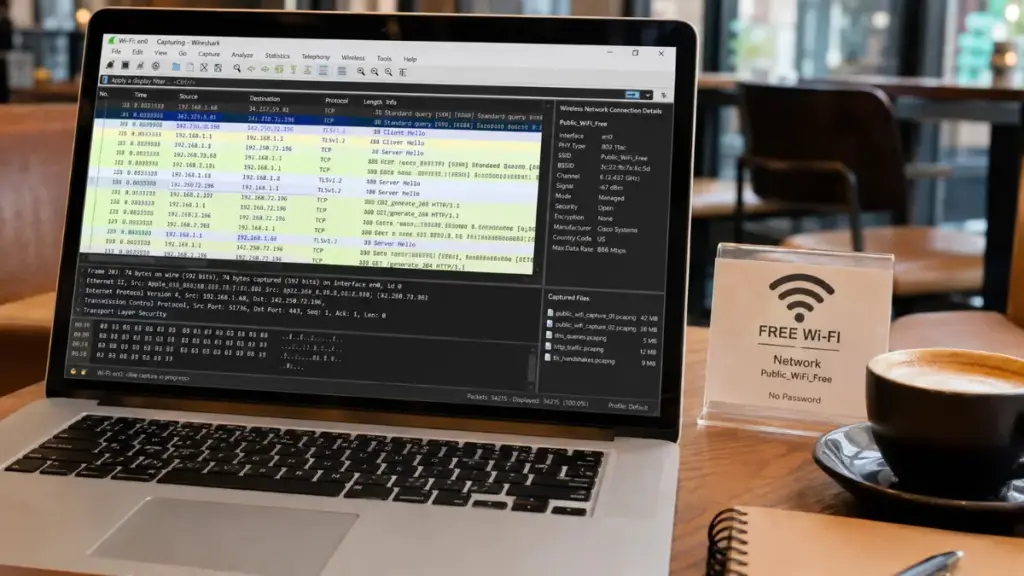
To understand why mobile hotspots are essential for data protection, one must first analyze the fundamental architectural flaws of public Wi-Fi deployments. Public wireless networks are designed primarily for frictionless access rather than strict data protection. When a venue provides free Wi-Fi, the router configuration usually disables client isolation—a key security setting that prevents connected devices from communicating directly with each other. Without client isolation, every laptop, tablet, and smartphone connected to that airport or cafe router resides on the exact same local subnet.
Read More: How Commercial VPNs Fast-Talk Audit Reports to Claim No-Logs Guarantees
This flat network structure turns a public venue into a playground for packet sniffing and local network exploitation. Many users operate under the dangerous assumption that if a coffee shop network requires a password printed on a chalkboard or a portal splash page, the connection is inherently secure. In technical reality, a shared password simply gives every user on the network the cryptographic keys necessary to decrypt everyone else’s wireless packets over the airwaves.
Anatomizing the Evil Twin Attack Mechanism
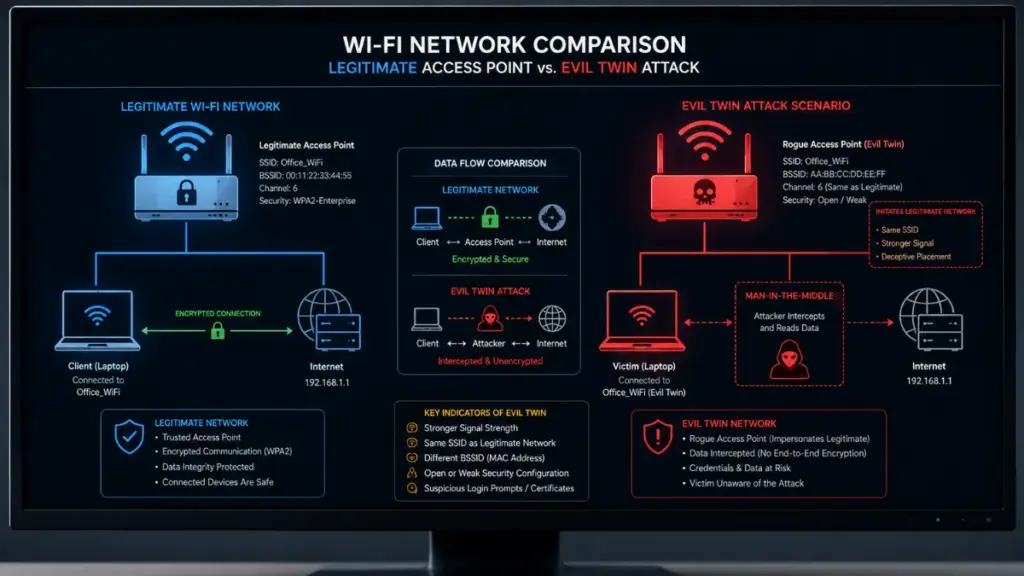
Among the most prevalent threats on open wireless networks is the Evil Twin attack. An Evil Twin is a rogue wireless access point deployed by an attacker that masquerades as a legitimate, trusted Wi-Fi network. Because consumer devices automatically memorize past Wi-Fi Network Names (SSIDs) and continuously broadcast probe requests searching for those networks, hackers can easily trick your device into connecting to a malicious transceiver without any manual intervention.
- SSID Spoofing: The attacker configures a high-powered wireless transmitter using the exact SSID of the local cafe or airport lounge.
- Signal Overpowering: By broadcasting at a higher radio frequency power level than the legitimate router, target devices naturally disassociate from the real network and connect to the stronger rogue signal.
- Captive Portal Replication: The rogue access point clones the venue’s login splash page to trick users into re-entering account credentials, social media logins, or credit card details.
- Full Traffic Capture: Once connected, all internet traffic routes directly through the attacker’s hardware before reaching the target website.
When you rely on personal mobile hotspots, your device never broadcasts probe requests for unencrypted public access points. Cellular connections link directly to authenticated cell towers using SIM-based credentials, completely rendering Evil Twin attacks impossible.
Man-in-the-Middle (MitM) and SSL Stripping Exploits
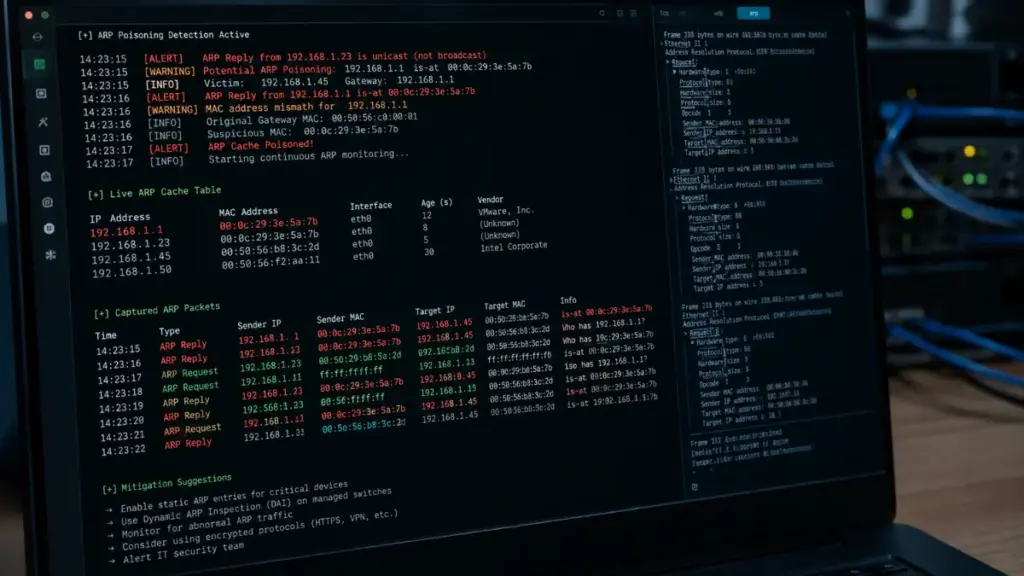
Man-in-the-Middle (MitM) attacks occur when an adversary silently positions themselves between your device and the destination server. On a public Wi-Fi network, an attacker can execute Address Resolution Protocol (ARP) spoofing to poison the local network’s routing table. By claiming that their MAC address corresponds to the network gateway’s IP address, all network packets sent by your computer flow directly through the attacker’s machine.
“Relying on public Wi-Fi for sensitive work is like writing your passwords on a postcard and handing it to a stranger. Isolated cellular connections eliminate the shared physical medium entirely.”
Luna
Once an ARP spoofing attack is established, cybercriminals frequently deploy a technique known as SSL Stripping. Although modern websites utilize Secure Sockets Layer / Transport Layer Security (HTTPS) to encrypt web traffic, SSL stripping tools intercept the initial HTTP request and prevent the connection from upgrading to encrypted HTTPS. The attacker maintains an encrypted HTTPS session with the target bank or email server while serving an unencrypted HTTP version back to the victim, exposing passwords, session tokens, and personal messages in plain text.
How Mobile Hotspots Eliminate Public Wi-Fi Vulnerabilities
Transitioning your primary connection method to personal mobile hotspots fundamentally changes your cybersecurity risk profile. Rather than broadcasting data packets across open radio frequencies shared by dozens of unknown strangers, cellular tethering creates a private, isolated network environment under your direct administrative control.
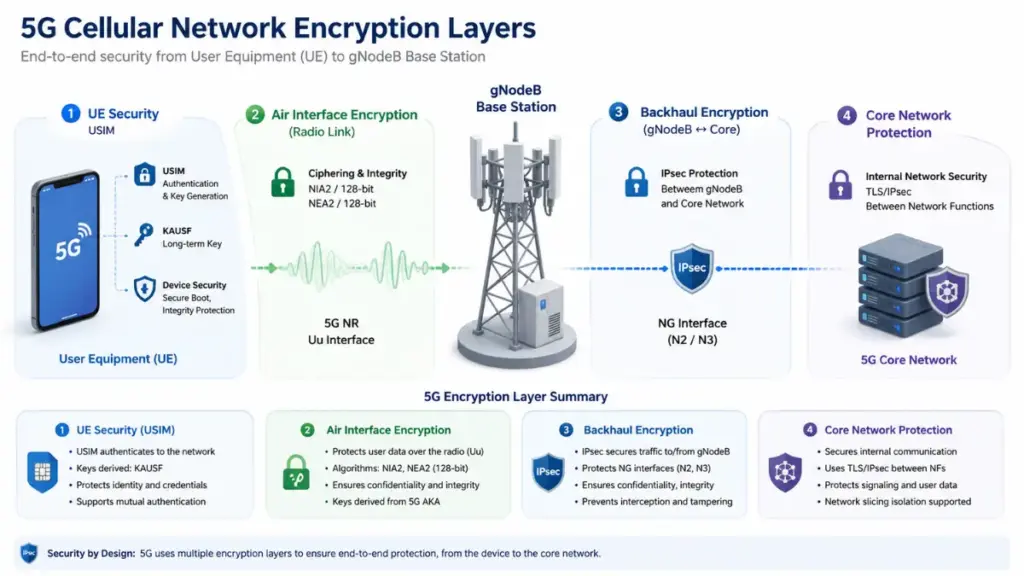
The security architecture of 4G LTE and 5G cellular networks relies on hardware-based authentication embedded within your device’s Subscriber Identity Module (SIM) card. When your smartphone connects to a telecom tower, mutual authentication occurs using symmetric cryptographic keys stored securely on the SIM card and the Home Subscriber Server (HSS) of the carrier. This robust authentication framework prevents rogue cell towers from intercepting cellular communications without requiring state-level surveillance equipment.
Read More: The Hidden WebRTC Leaks Lurking Behind Free Online Website VPN Services
Furthermore, when you activate mobile hotspots on your smartphone, the device acts as a hardened router running an isolated Network Address Translation (NAT) firewall. External devices residing on the broader internet or local cellular network cannot initiate inbound connections to your tethered laptop, effectively shutting down remote exploitation attempts.
Cellular Encryption Standards vs Open Air Waves
The mathematical difference between public Wi-Fi protection and cellular security is vast. Open Wi-Fi networks broadcast unencrypted frames across open radio waves, meaning anyone with a basic wireless card set to promiscuous mode can capture raw data packets out of the air. Even Wi-Fi networks protected by traditional WPA2-PSK remain vulnerable to offline dictionary attacks against the 4-way handshake if an attacker captures the initial connection exchange.
In sharp contrast, modern cellular networks enforce rigorous, multi-layered encryption protocols directly over the air interface:
- Kasumi and SNOW 3G Algorithms: Standardized cryptographic ciphers used in 3G and 4G networks to secure user data traffic over radio interfaces.
- 5G AES-256 Encryption: Advanced Encryption Standard operating with 256-bit keys protecting user plane data across 5G standalone networks.
- Mutual Authentication Protocol: Ensures that both the mobile device and the cellular network verify each other’s identity before establishing a radio bearer.
- Ephemeral Session Keys: Dynamic cryptographic keys generated per session, preventing retroactive decryption of captured cellular traffic.
By routing your internet traffic through personal mobile hotspots, your data travels through these carrier-grade security pipelines before reaching the public internet, insulating your sensitive activities from local radio eavesdropping.
Eliminating Unwanted Peer-to-Peer Interception
Beyond blocking external packet sniffing, personal mobile hotspots eliminate peer-to-peer attack vectors that plague shared local area networks. On a public Wi-Fi network, malicious devices can utilize network discovery tools such as Nmap to scan the IP range of the local subnet, identifying open ports, outdated operating system services, and unpatched software vulnerabilities on your connected device.
- Server Message Block (SMB) Exploits: Hackers leverage unpatched network file sharing protocols to execute remote code on vulnerable laptops sharing the same public Wi-Fi.
- Network Neighborhood Discovery: Exposed device names and shared folders can be indexed by unauthorized network participants.
- Malicious Packet Injection: Attackers on open networks can inject malicious TCP packets into unencrypted streams, forcing your browser to download malware payloads.
When utilizing personal mobile hotspots, your client devices reside within an isolated private network where you control every connected node. Because no untrusted third-party devices exist on your hotspot’s local subnet, peer-to-peer port scanning and network injection attacks are completely neutralized.
Practical Security Best Practices When Deploying Mobile Hotspots
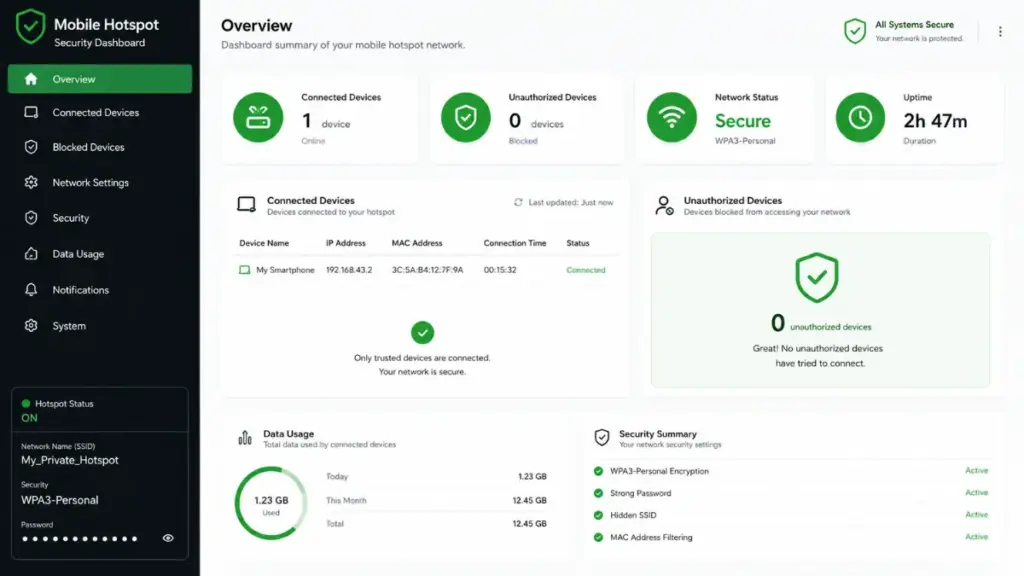
While personal mobile hotspots are inherently far safer than public Wi-Fi access points, improper configuration can still introduce security loopholes. To maintain maximum data defense, users must implement proper wireless security standards on their tethering devices.
More Read

Default factory settings on smartphones often generate simple, predictable hotspot passwords composed of basic dictionary words or short numerical strings. Automated wireless cracking tools can easily brute-force weak WPA2 passphrases if an attacker is standing within physical radio range of your active hotspot.
Configuring Bulletproof Hotspot Settings
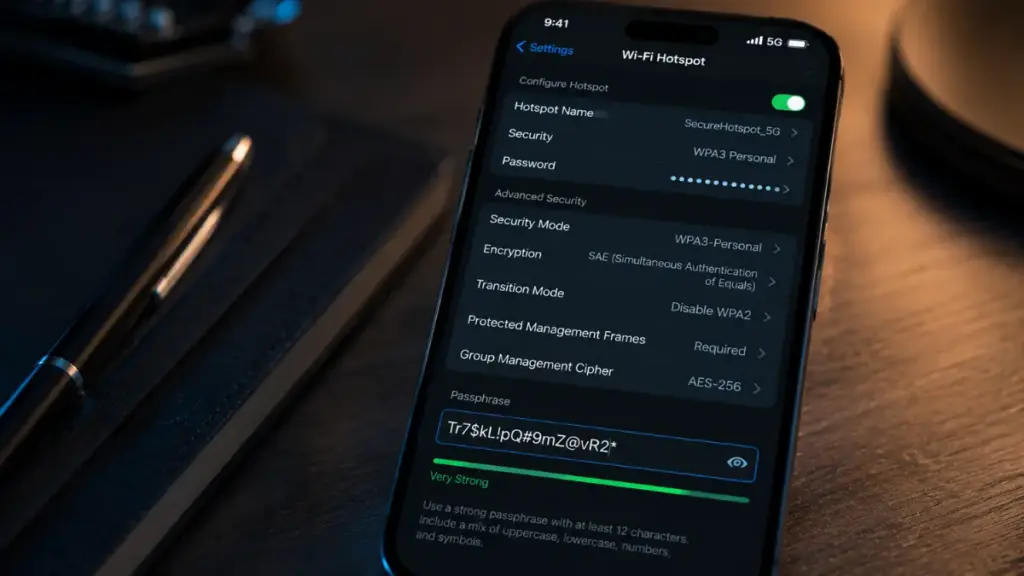
To ensure your tethered connection remains impenetrable to local wireless cracking, apply the following configuration parameters across your mobile devices:
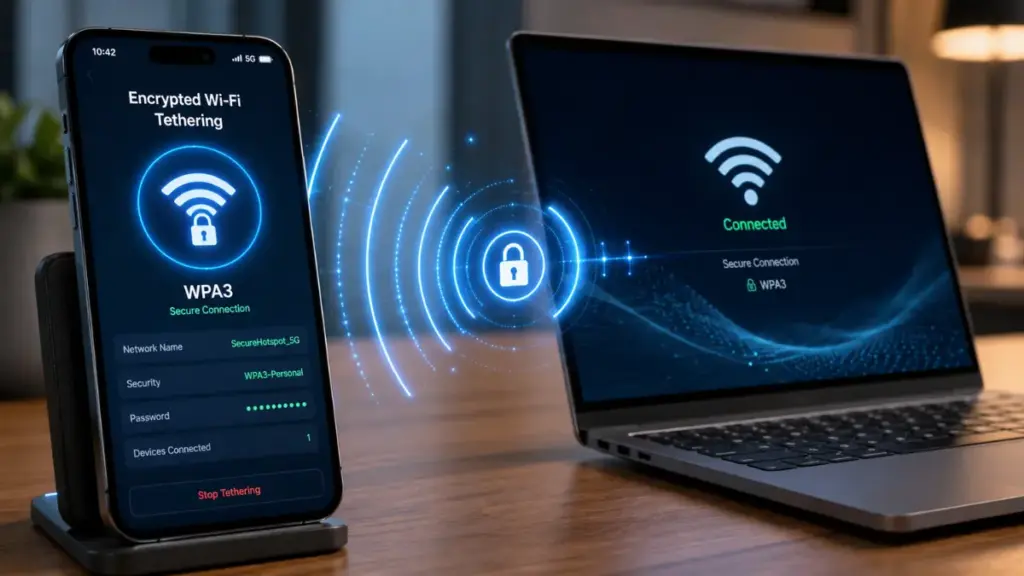
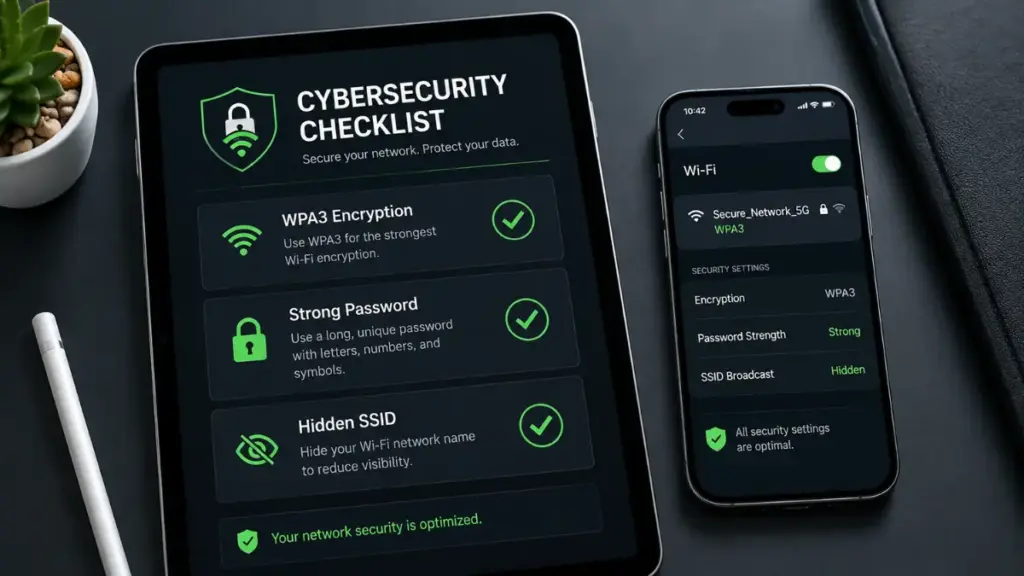
- Enforce WPA3-Personal Security: Always select WPA3-Personal (SAE) encryption in your smartphone’s tethering settings. WPA3 replaces the old PSK 4-way handshake with Simultaneous Authentication of Equals, making offline dictionary attacks mathematically infeasible.
- Generate High-Entropy Passphrases: Construct a unique hotspot password that is at least 16 characters long, combining uppercase letters, lowercase letters, numbers, and special symbols.
- Disable Auto-Hotspot Sharing: Turn off automatic hotspot sharing features that allow family devices or connected cloud accounts to join without explicit confirmation prompts.
- Set Automatic Inactivity Timeouts: Configure your mobile OS to automatically turn off the wireless hotspot when no registered devices have been active for 10 minutes, reducing your physical radio footprint.
Implementing these configuration standards guarantees that your personal mobile hotspots maintain enterprise-grade defense against local unauthorized connection attempts.
Combining Mobile Hotspots with VPN for Layered Defense
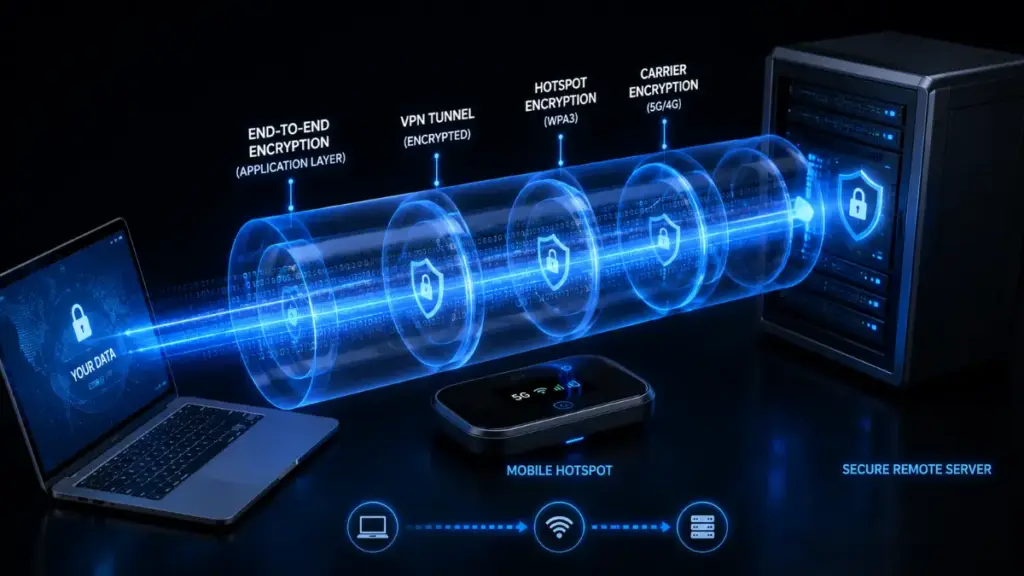
For maximum security when handling high-value corporate assets, financial transactions, or confidential healthcare records, combine personal mobile hotspots with a trusted Virtual Private Network (VPN). Operating a VPN over a cellular hotspot creates a multi-layered defense architecture known in cybersecurity frameworks as defense-in-depth.
“True digital privacy requires defense in depth. Combining cellular network isolation with end-to-end cryptographic VPN tunnels ensures your data remains completely opaque to local observers, cellular carriers, and upstream internet transit providers alike.”
Luna
While your mobile carrier encrypts the radio traffic between your smartphone and the cell tower, the cellular provider itself can technically observe your DNS queries and destination IP addresses. Activating an encrypted WireGuard or OpenVPN tunnel on top of your cellular hotspot encrypts your traffic before it even leaves your laptop. This ensures that neither local bad actors nor middlebox network appliances can inspect, log, or manipulate your data packets.
Comprehensive Comparison: Mobile Hotspots vs Public Wi-Fi
To visually summarize the architectural differences between open wireless networks and personal cellular connections, review the technical matrix below. Selecting the correct access method dramatically impacts your exposure to modern cyber threats.
| Security Feature / Vector | Public Wi-Fi Networks | Personal Mobile Hotspots |
| Radio Link Encryption | Frequently Open / Unencrypted | WPA2 / WPA3-Personal Encrypted |
| Evil Twin Resistance | Highly Vulnerable (Passive Probe Traps) | Immune (SIM Hardware Authentication) |
| Peer-to-Peer Isolation | Rarely Enabled (Flat Subnet) | Enforced by Hardware Firewall / NAT |
| MitM & ARP Poisoning | Severe Risk across Shared Subnet | Impossible (No Shared Local Subnet) |
| Credential Theft Risk | High via SSL Stripping / Rogue Portals | Extremely Low (Direct Carrier Transport) |
| Administrative Control | Managed by Unknown Third Parties | Fully Controlled by Device Owner |
As demonstrated in the comparison table, personal mobile hotspots systematically mitigate or eliminate every major network layer attack vector present on public wireless infrastructure.
Operational Considerations and Resource Management
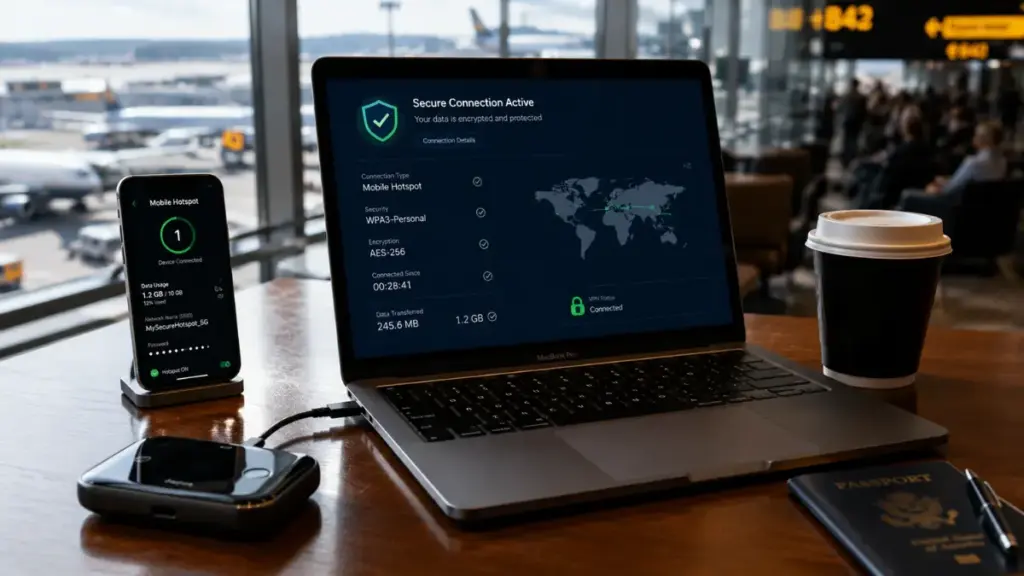
While personal mobile hotspots deliver vastly superior security compared to open Wi-Fi networks, remote workers must manage practical operational factors such as cellular data caps, smartphone battery consumption, and thermal limits. Heavy video streaming, background cloud backups, and large software updates can quickly consume monthly high-speed tethering allowances.
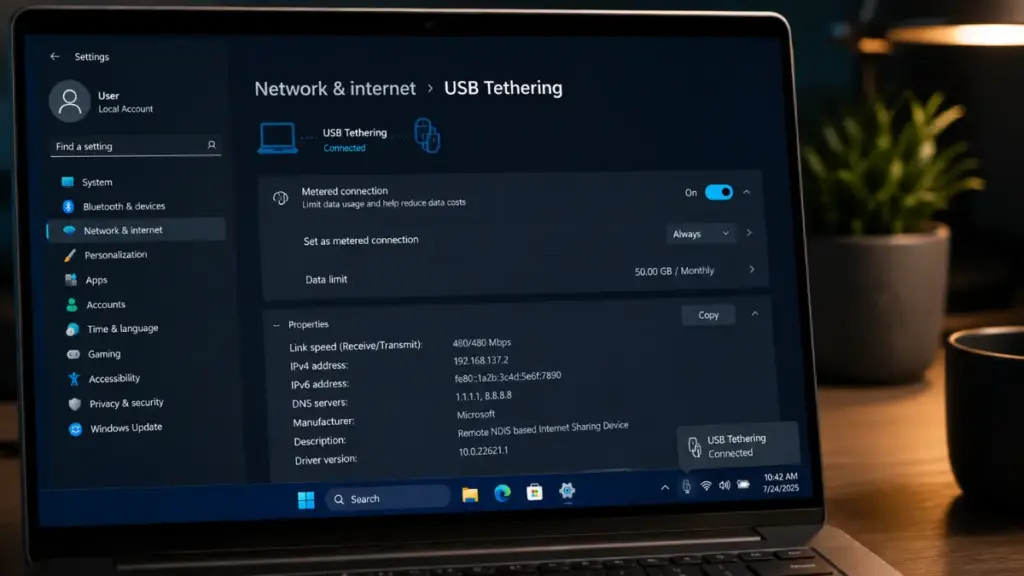
To optimize performance while preserving mobile resources, configure your tethered computer’s network settings to identify the hotspot as a metered connection. On Windows and macOS systems, setting a connection as metered automatically pauses automatic operating system updates, restricts background cloud synchronization services, and reduces media streaming resolution. Additionally, utilizing USB tethering instead of Wi-Fi tethering charges your smartphone directly from your laptop while completely eliminating radio frequency broadcasting, further enhancing physical security and battery endurance.
Conclusion
Relying on public Wi-Fi networks in modern cybersecurity environments introduces unnecessary risk to your personal accounts, corporate data, and digital identity. The open architecture of public access points leaves users constantly exposed to packet sniffing, Evil Twin rogue access points, ARP poisoning, and SSL stripping attacks.
By making personal mobile hotspots your primary connectivity solution when working away from home or office environments, you establish a secure, isolated network infrastructure protected by carrier-grade encryption and hardware-level client separation. Coupled with robust WPA3 passphrases and VPN encryption, mobile tethering provides the ultimate defense against local cyber threats, ensuring your sensitive data remains entirely secure wherever you choose to work.
PLEASE LEAVE A COMMENT BELOW TO GET FREE CONSULTATION FROM OUR EXPERTS OR FOLLOW OUR WEBSITE THE COUCH INSIDER FOR THE LATEST INSIGHTS!